
Security · Identity, access and audit
Your directory. Your rules. A record of everything.
Staff sign in with the account they already use. Access is decided per opportunity, not just per organisation. Every important action is written to an audit log that can’t be edited.
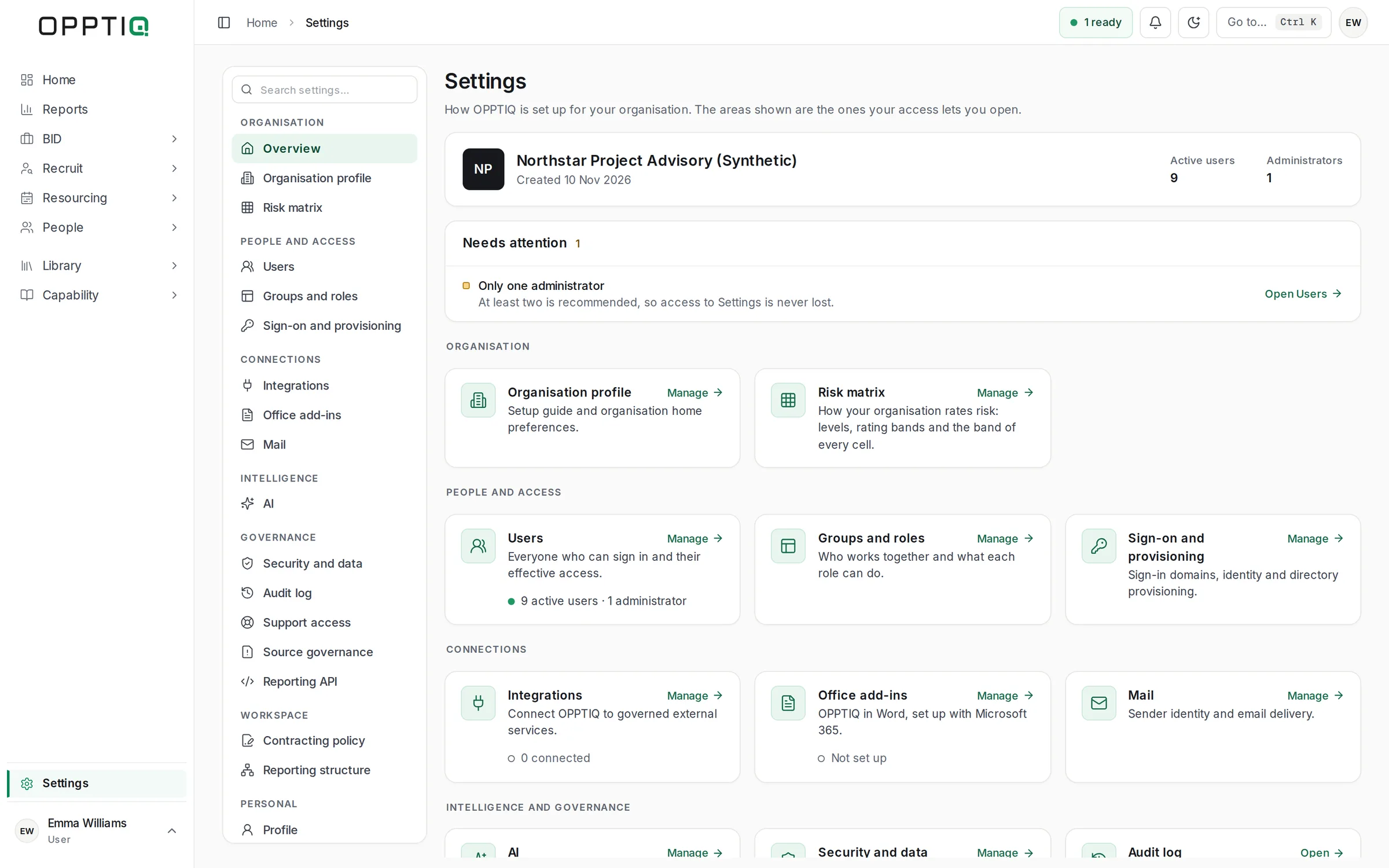
Sign in with the account you already use.
Single sign-on is routed by verified email domain and can be made mandatory per domain. Multi-factor authentication is enforced by your identity provider when you use single sign-on.
Microsoft Entra ID
Available with setupStaff sign in with their Microsoft work account. Personal Microsoft accounts are refused.
Google Workspace
Available with setupSign in with a verified Workspace domain. Consumer Gmail accounts are refused.
Okta and OpenID Connect
Available with setupAny standards-based identity provider, routed by email domain.
Email and password
AvailableA 12-character minimum, email verification and password reset.
- Personal Google and Microsoft accounts are always refused.
- No self-signup. People join by invitation, organisation membership or SCIM provisioning.
- An emergency administrator account for when your identity provider is unavailable.
- One person can belong to several organisations and choose between them at sign-in.
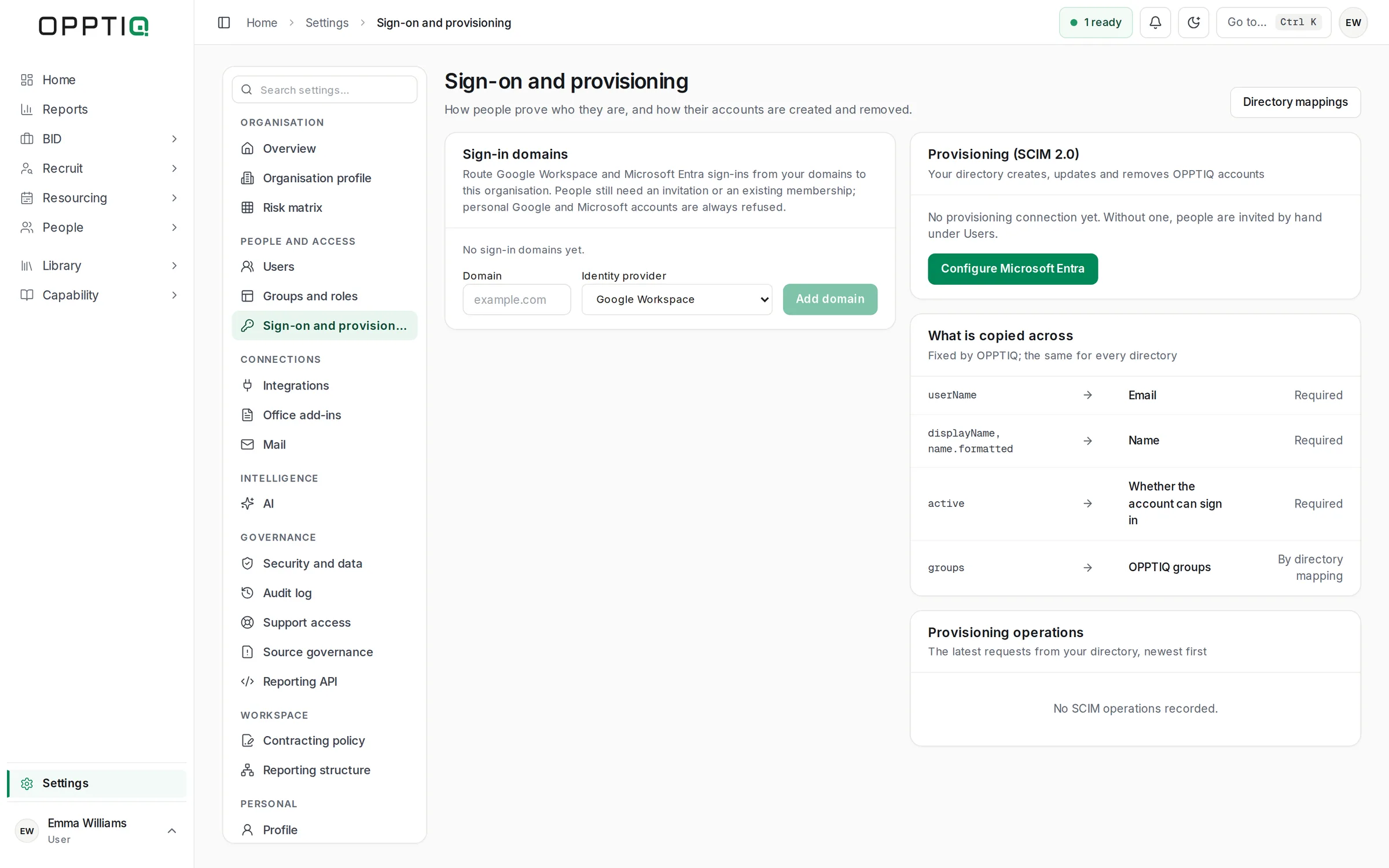
Joiners and leavers, handled by your directory.
SCIM 2.0 creates, updates and deactivates users and groups from Microsoft Entra ID or any SCIM provider, with every change on the audit trail. Access reviews let administrators recertify who still has access.
- JoinerAdded to a group in your directory. Their OPPTIQ account and memberships follow.
- MoverA group change in the directory updates them in OPPTIQ.
- LeaverDeactivated in the directory, deactivated in OPPTIQ. The change is audited.
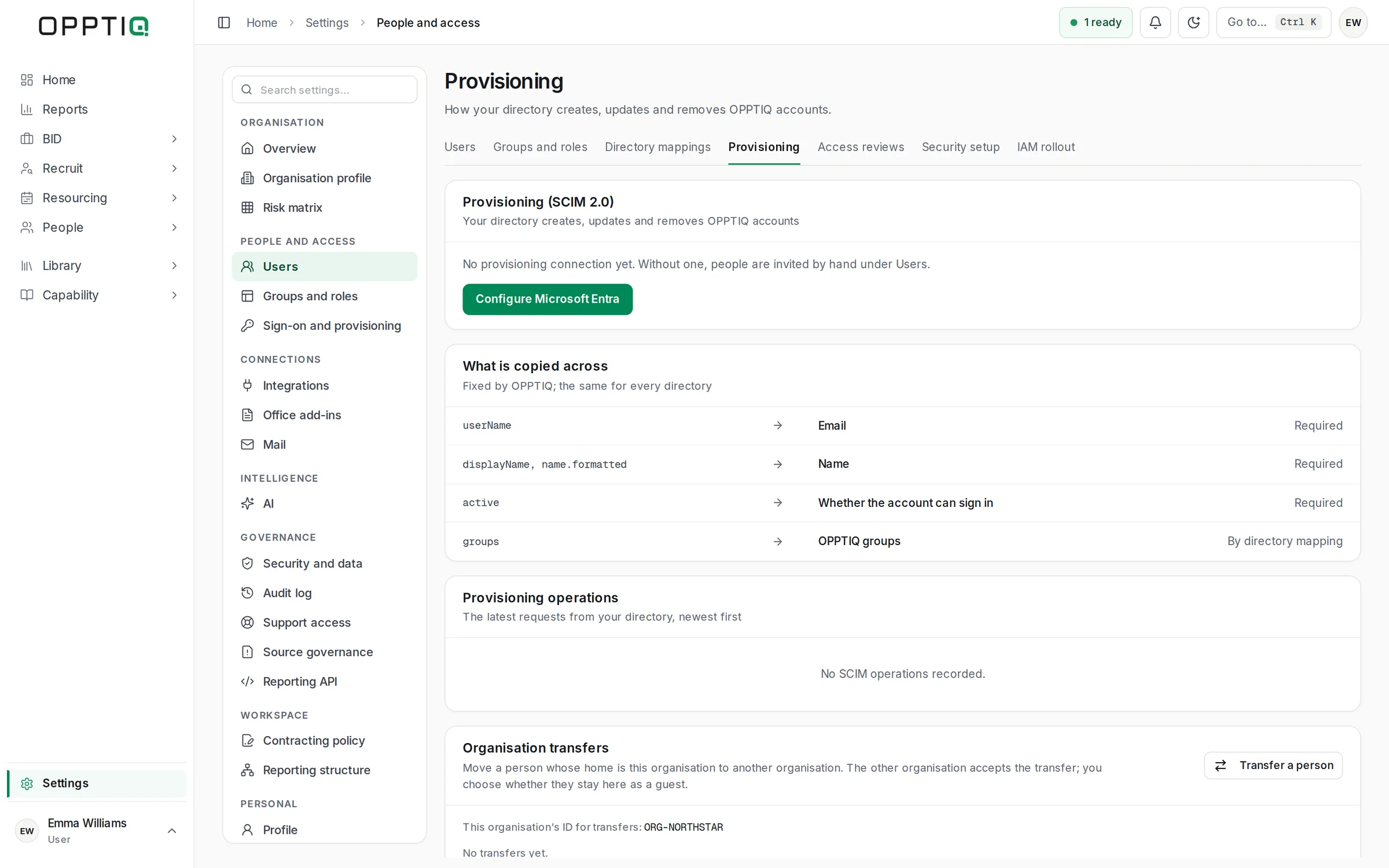
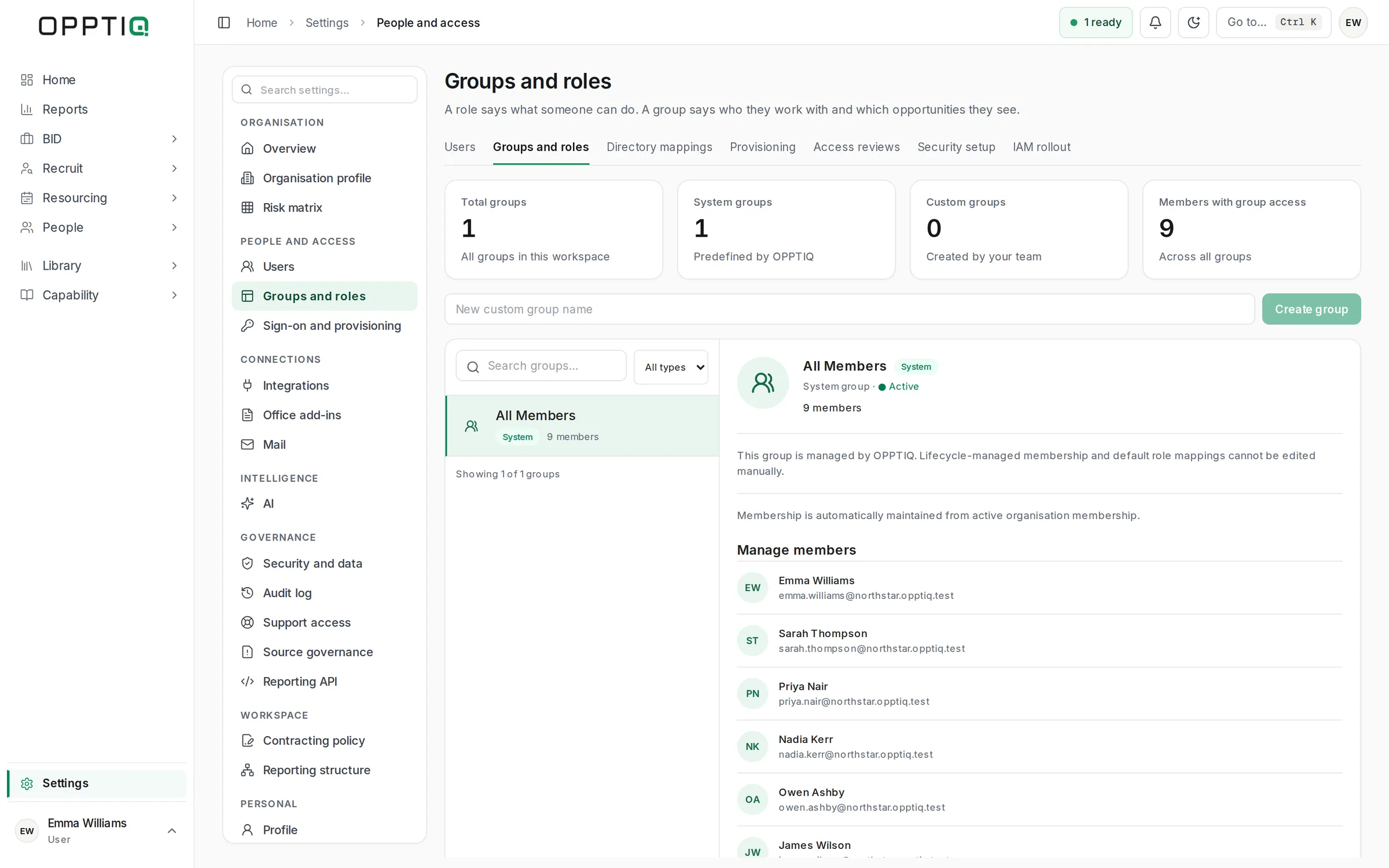
Users, groups and roles, in one place.
Administrators see everyone who can sign in, how they sign in and what they can open. Groups say who works together; roles say what they can do.
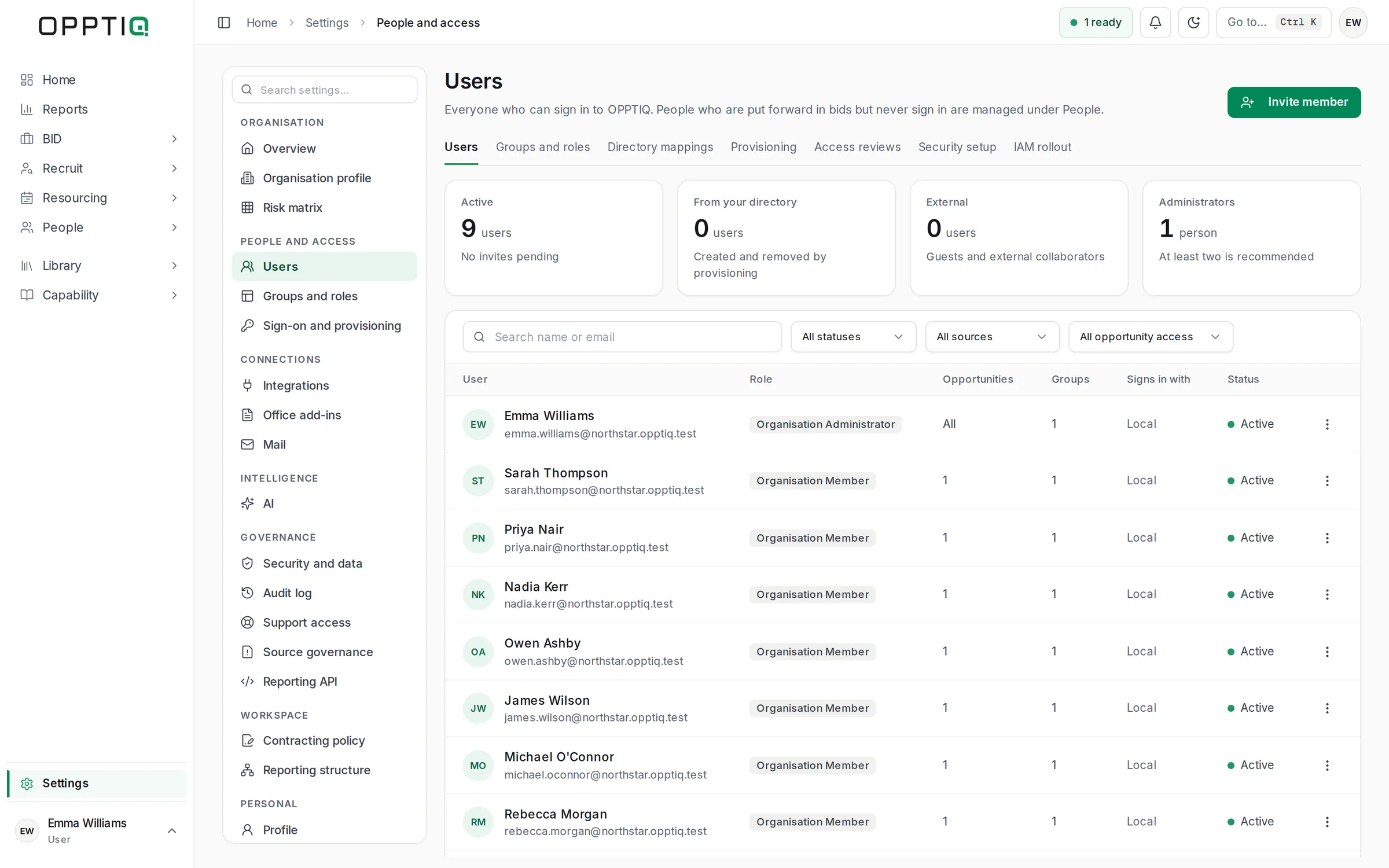
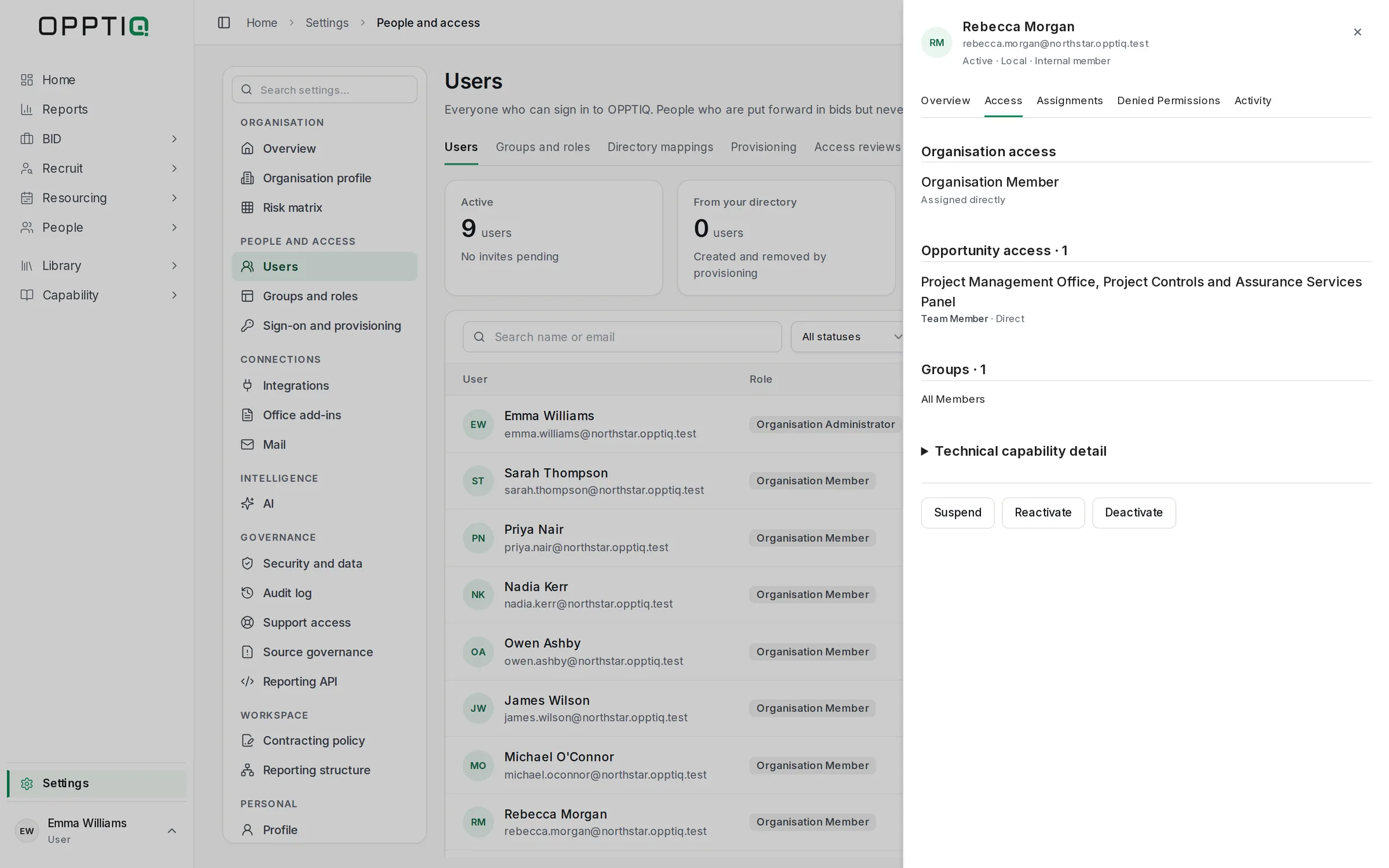
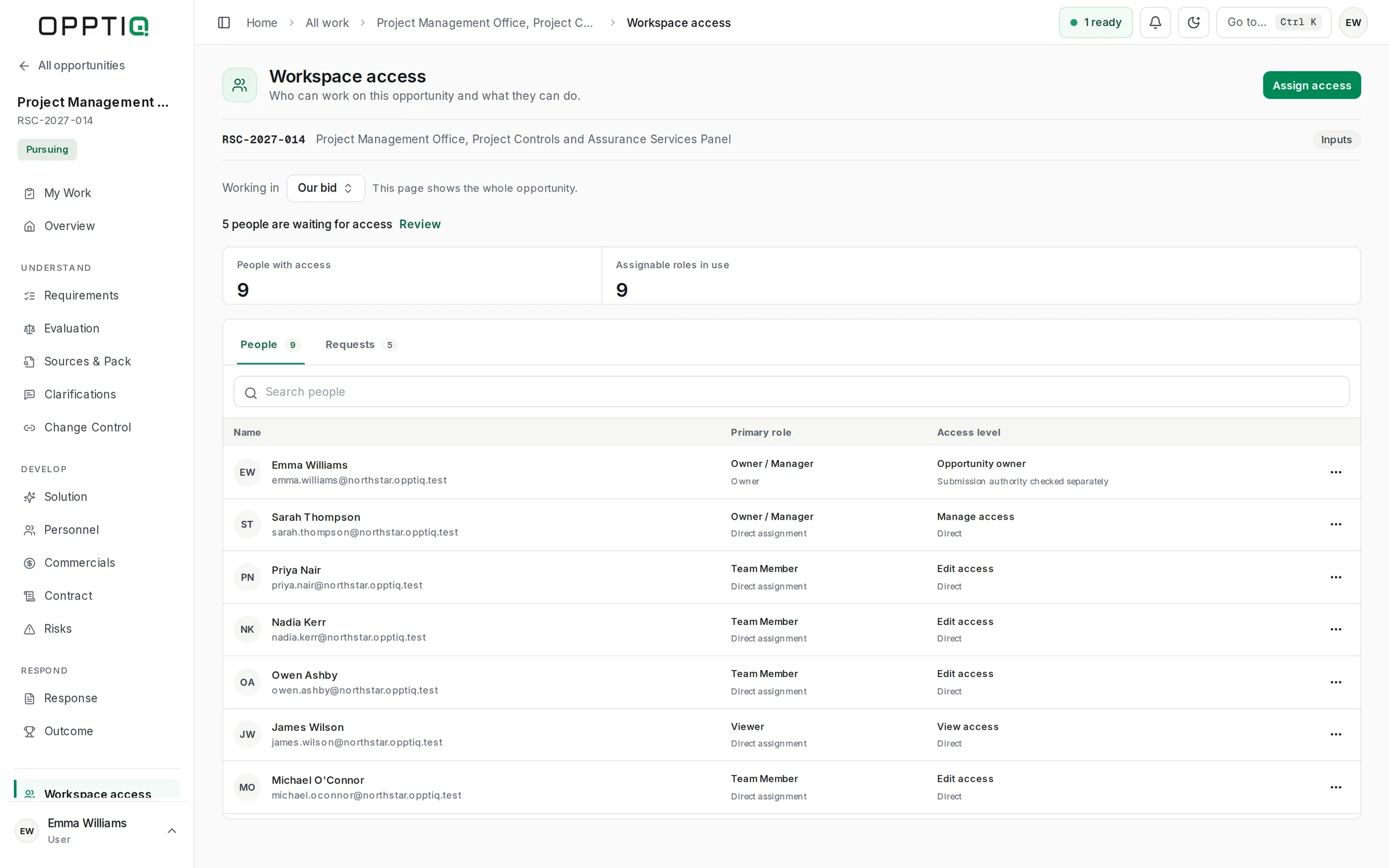
Permissions decided per opportunity, in five layers.
People see only the bids and areas they are given. Sensitive areas need their own grant, approvals need a named responsibility, and an administrator can deny any single permission.
| Layer | What it controls | Examples |
|---|---|---|
| Organisation role | Administering the organisation | Administrator, member. Being an administrator does not by itself open any bid. |
| Workspace role | Access to one opportunity | Owner or manager, team member, viewer, guest |
| Sensitive grants | Areas that need their own permission | Internal commercials and pricing, organisation people data |
| Responsibilities | Who may approve or submit | Commercial, executive, legal, finance, privacy and security approver; submission authority |
| Explicit denial | Removing one permission from one person | Deny pricing to a contractor on one bid, or across the organisation. Overrides every role, and is audited. |
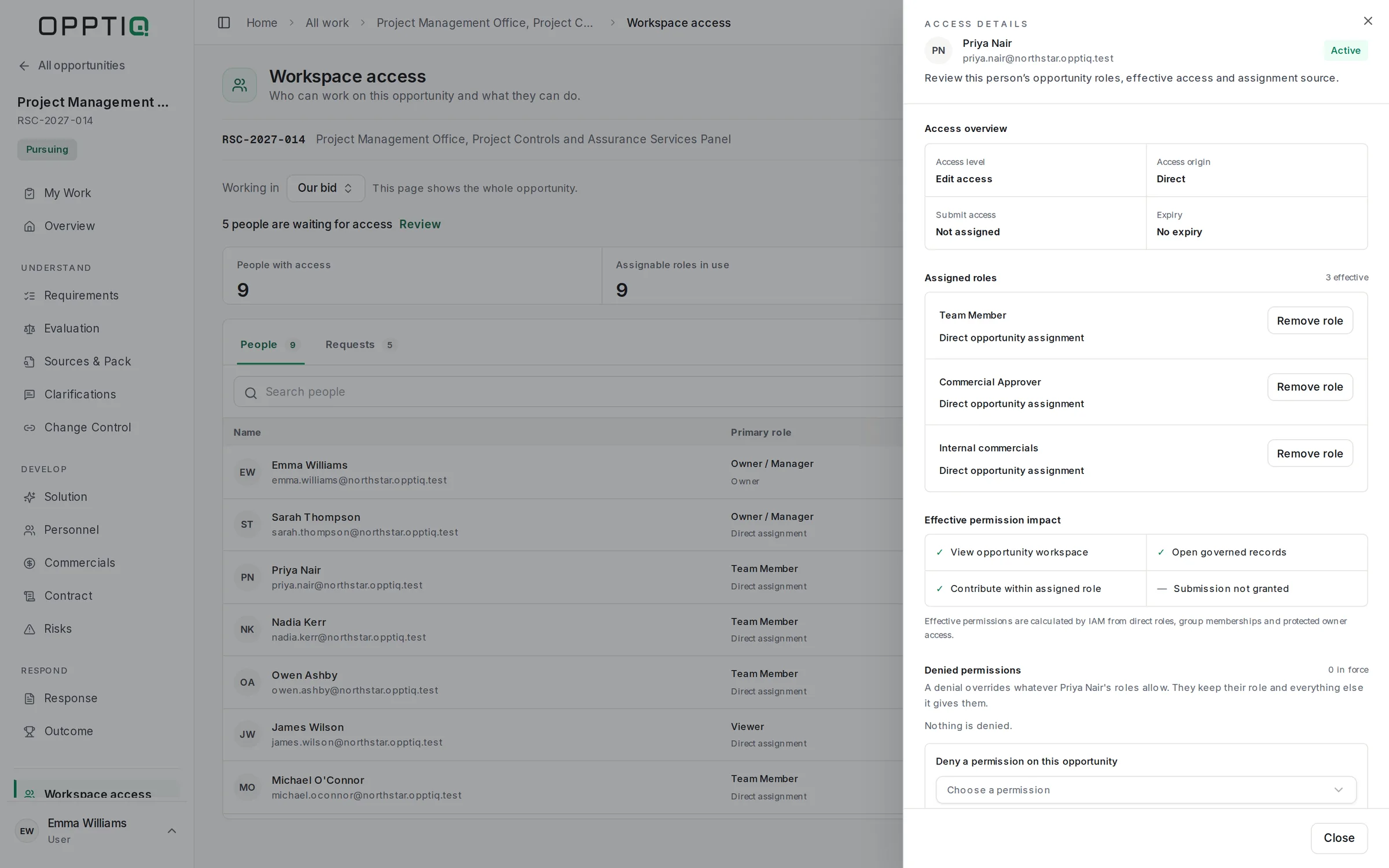
RSC-2027-014?An illustration with the fictional demo team.| Person | Access | Pricing |
|---|---|---|
| Priya Nair | Team member with the pricing grant | Sees it |
| Sarah Thompson | Team member, no pricing grant | Hidden |
| Partner contractor | Guest, expiry date set, pricing denied | Denied |
| James Wilson | Executive approver and submission authority | Sees it |
- Areas a person can’t access are hidden, not greyed out.
- Guests are read-only, must have an expiry date, and can be removed at once.
- Nobody approves their own profile, risk, contract position or submission.
- Final submission needs two people. Seeing the submission doesn’t give authority to submit it.
- Organisations can define their own custom roles.
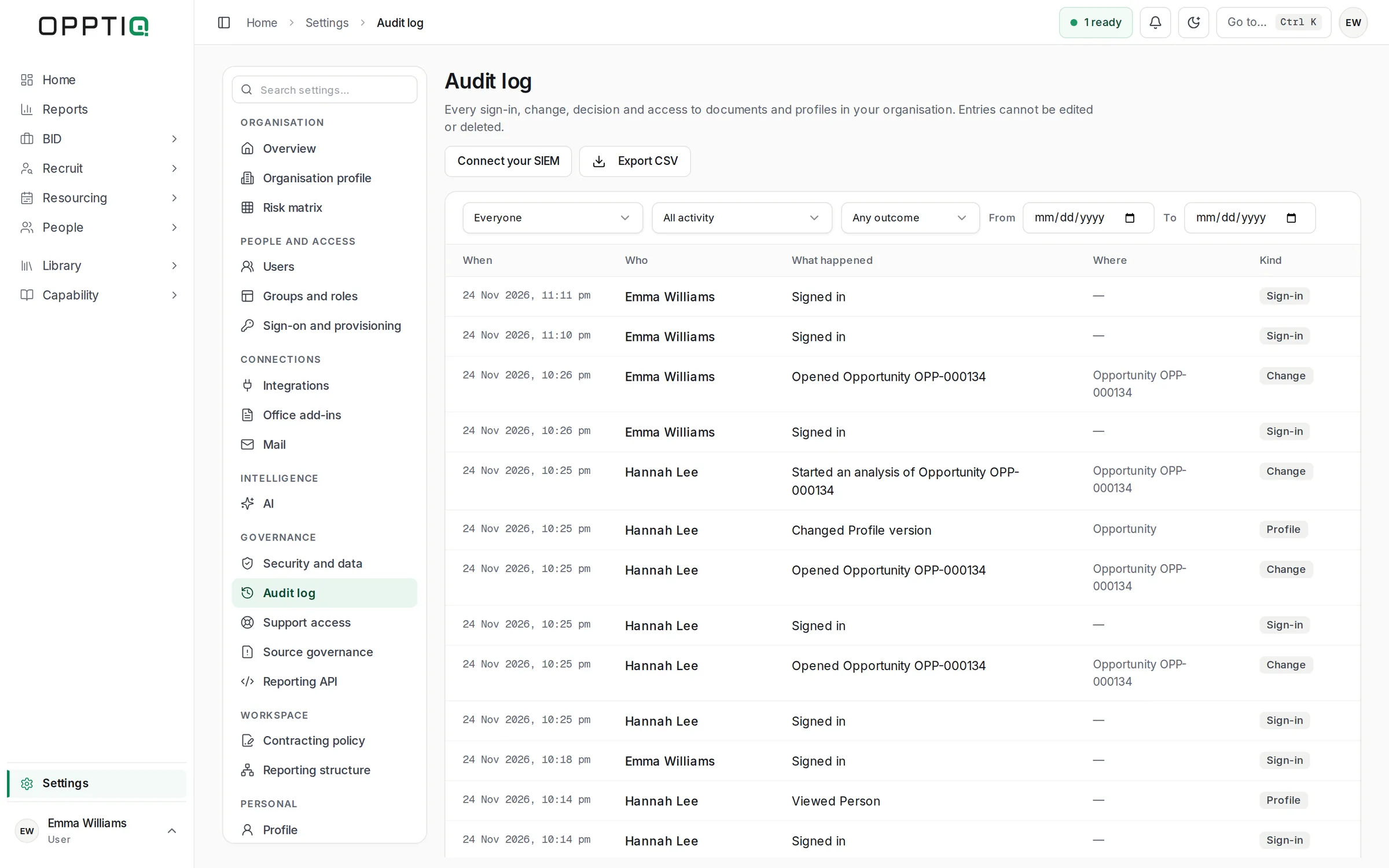
An audit log the database won’t let anyone edit.
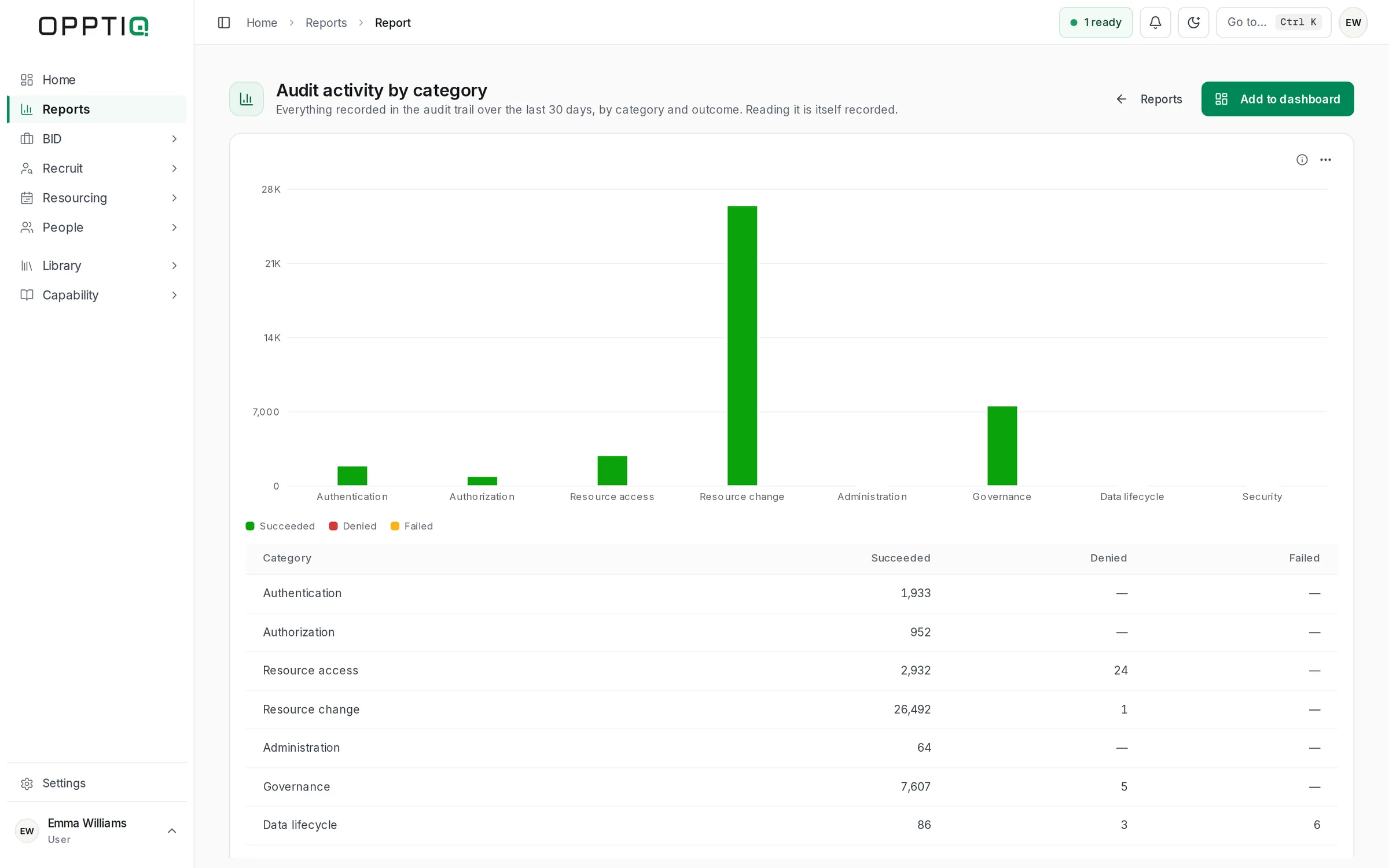
Security, access and governance activity is written to an append-only, hash-chained log for each organisation. Edits and deletions are refused, and tampering can be detected.
More than 160 kinds of action
Sign-in, access changes, invitations, provisioning, support access, approvals, decisions, document views and downloads, integrations and commercial changes.
CSV export
Administrators view and export the log as CSV. Viewing and exporting are themselves audited.
Traceable AI
AI interpretations, decisions and approvals keep their source and history, so every register entry traces back.
Your SIEM pulls the audit trail.
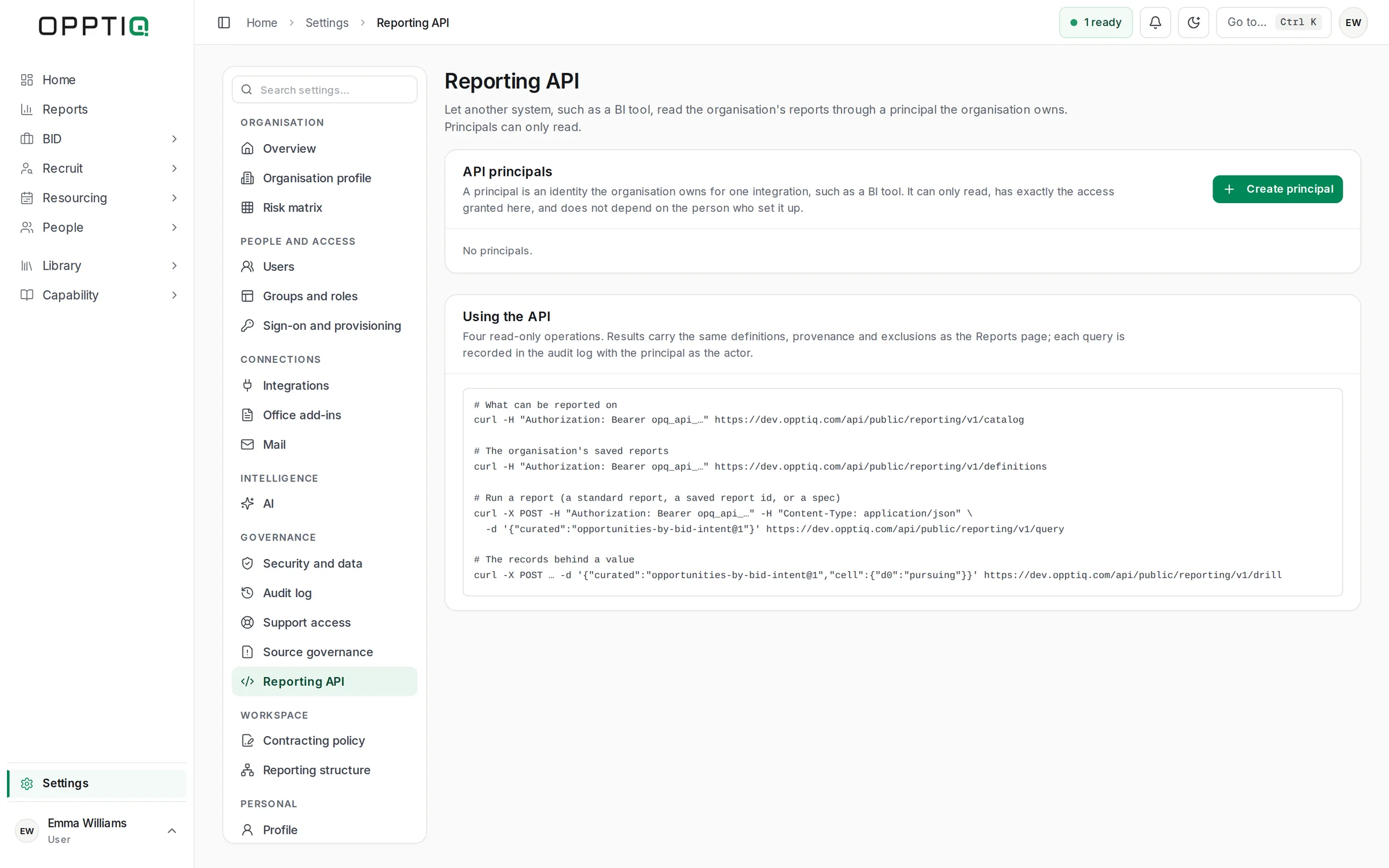
Your SIEM can pull audit events through the read-only Reporting API, using an API key your organisation owns. Each query is itself recorded in the audit log.
OPPTIQ does not push events to a SIEM, and there is no packaged Microsoft Sentinel or Splunk connector.
No standing access to your content, including ours.
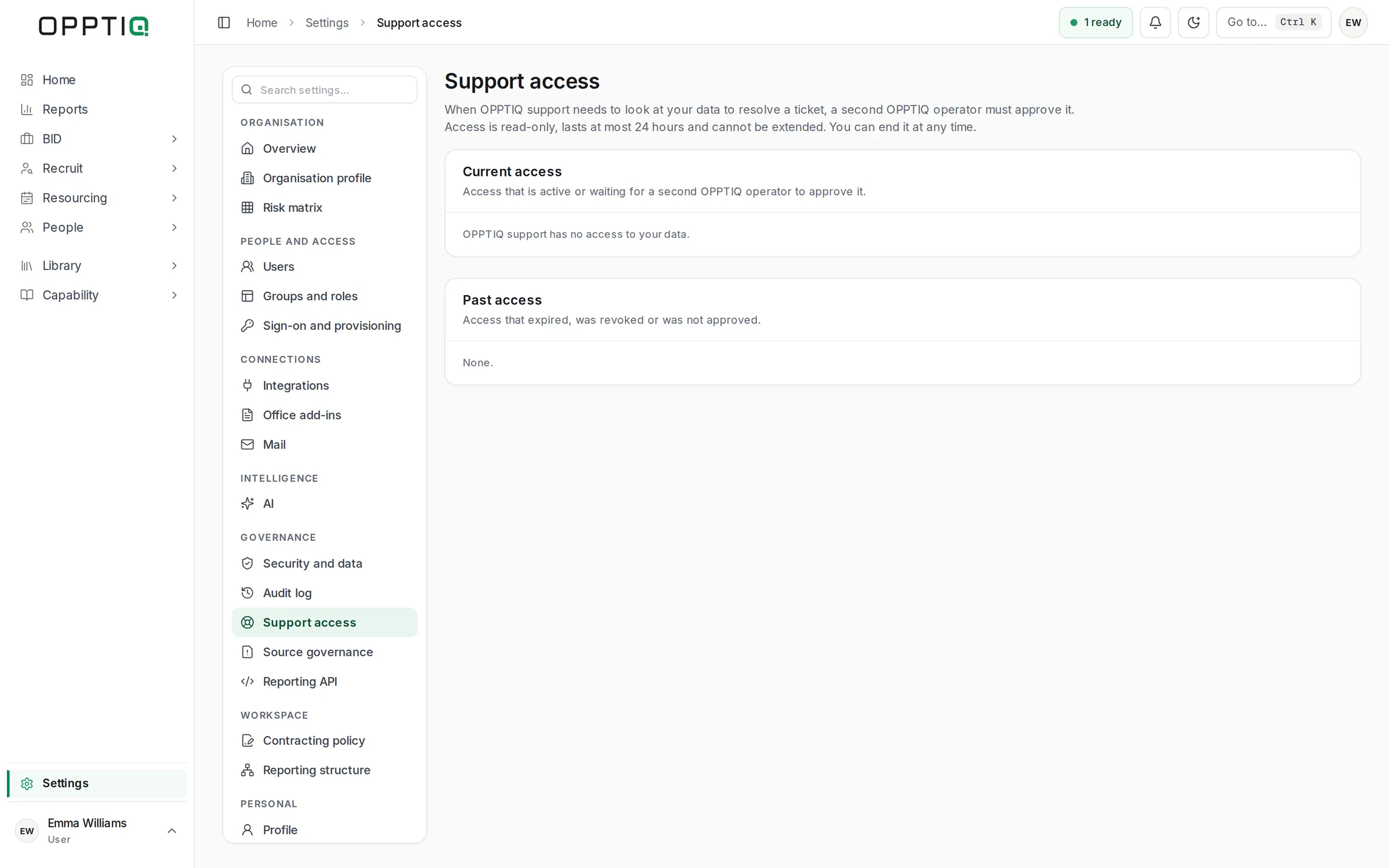
OPPTIQ support staff can’t see customer content by default. When you ask for help, access is granted in the open, for a short time, and you can end it.
- Read-only, for at most 24 hours, and it can’t be extended.
- A second OPPTIQ operator must approve it.
- Visible to you in Settings, where you can end it at any time.
- The operator console is separate from the product, with named operators and two-person approval for more authority.
Reviewing OPPTIQ for your organisation?
OPPTIQ is building towards ISO/IEC 27001 and SOC 2. We do not yet hold a certification, and we are happy to complete your security questionnaire and share our security documentation.