
Opportunity intelligence

Upload the pack. Get the whole opportunity, cited to the line.

AI does the reading, your people keep the authority, and every answer shows where it came from.
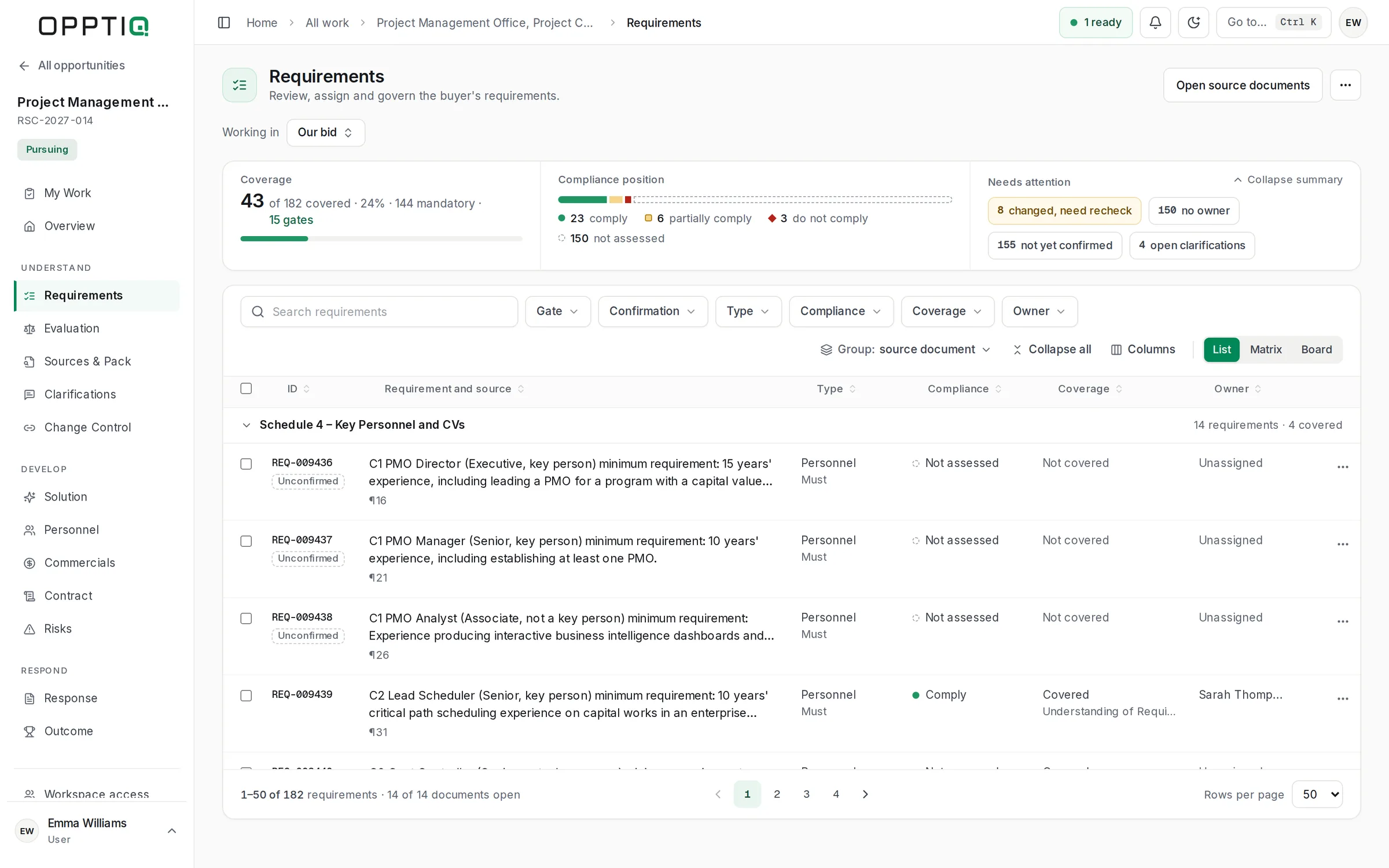
Requirements register grouped by source document
RequirementsEvery requirement, its obligation, owner and source.
Requirements register grouped by source document
Every requirement, its obligation, owner and source.Illustrative, synthetic data.

Start with the pack, from wherever it lives

Create an opportunity by adding everything the buyer issued: from your computer, the Library or SharePoint, mixed as you like. PDF, Word, Excel, PowerPoint, email and zip files are accepted.

  • Files are prepared for reading as they upload.
  • Start without documents if the pack isn’t ready yet.
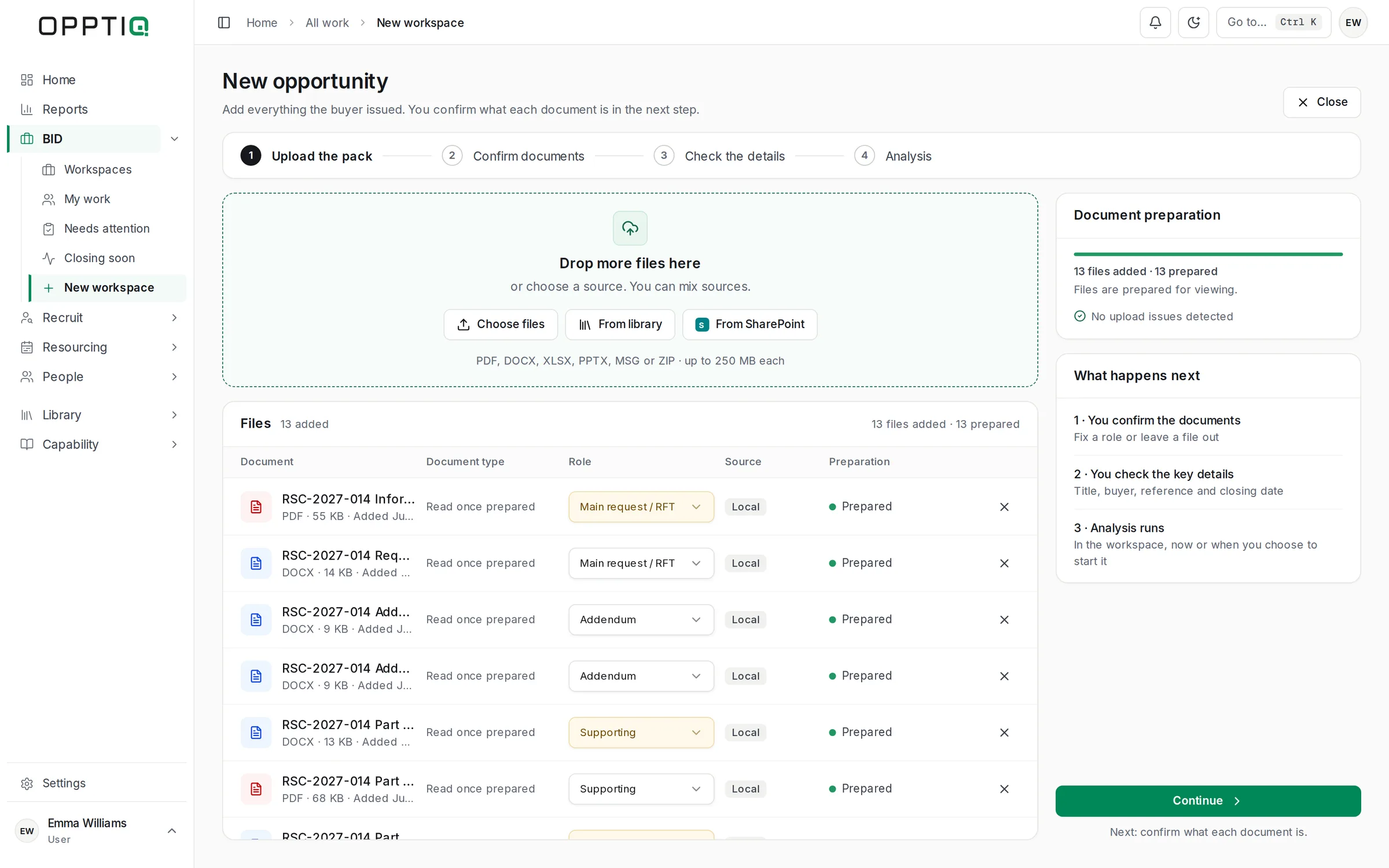
Upload step with 13 files added and prepared, each with its role and source
Pack uploadedThirteen files added and prepared, each with a role.
Upload step with 13 files added and prepared, each with its role and source
Thirteen files added and prepared, each with a role.

Confirm what each document is

OPPTIQ suggests a role for every file from its name and words: main request, addendum, pricing or supporting. You confirm or change each one, and it checks that the usual parts of a pack are there.
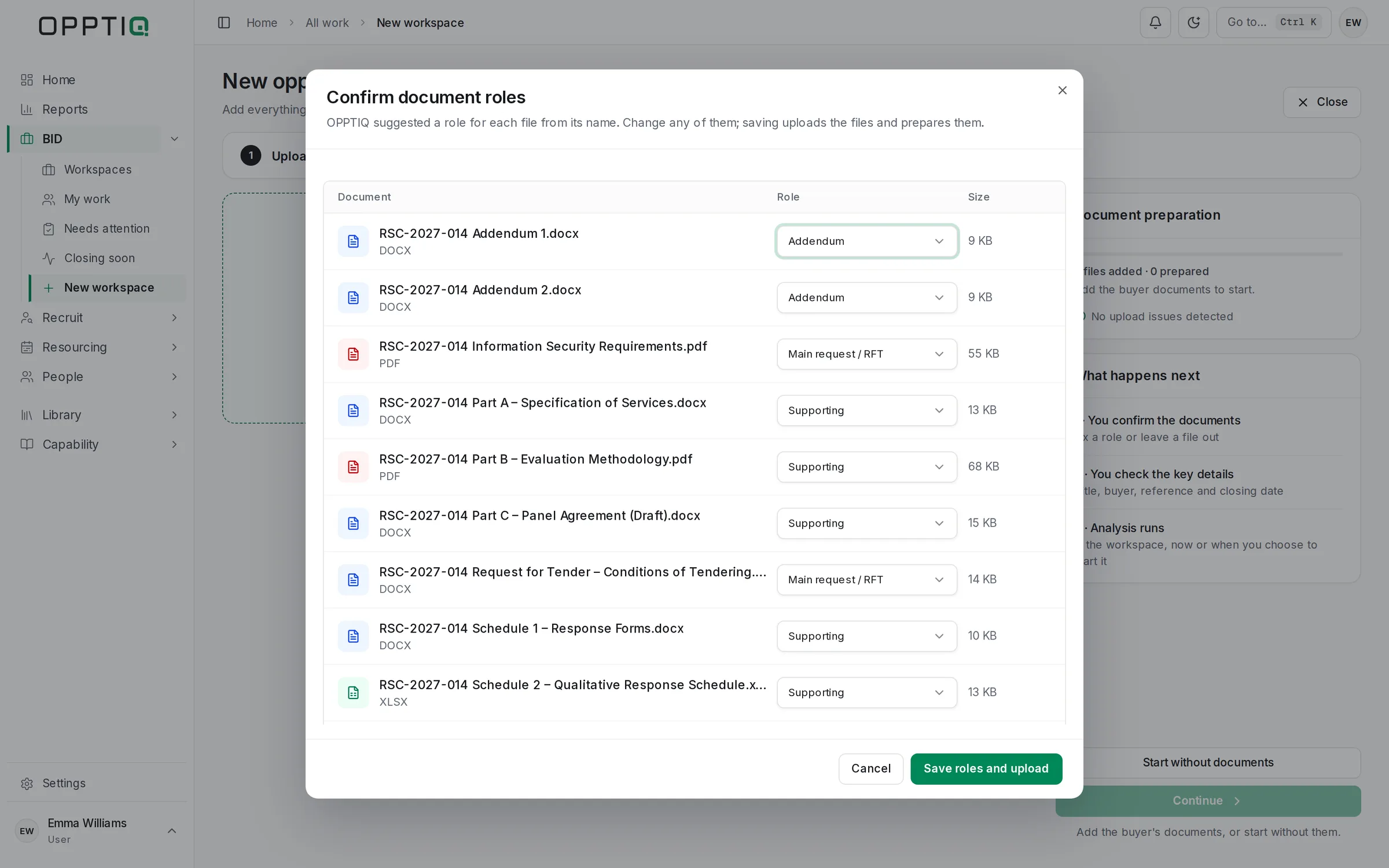
Confirm document roles dialog with a suggested role for each of the buyer’s files
Confirm document rolesOPPTIQ suggests a role for each file from its name. Change any of them.
Confirm document roles dialog with a suggested role for each of the buyer’s files
OPPTIQ suggests a role for each file from its name. Change any of them.

Check the details, each with its source

The buyer, reference, closing date, questions deadline and briefing are read from the documents’ own words before any analysis, each with the file and sentence it came from. Then start the analysis now, or create the opportunity and analyse later.
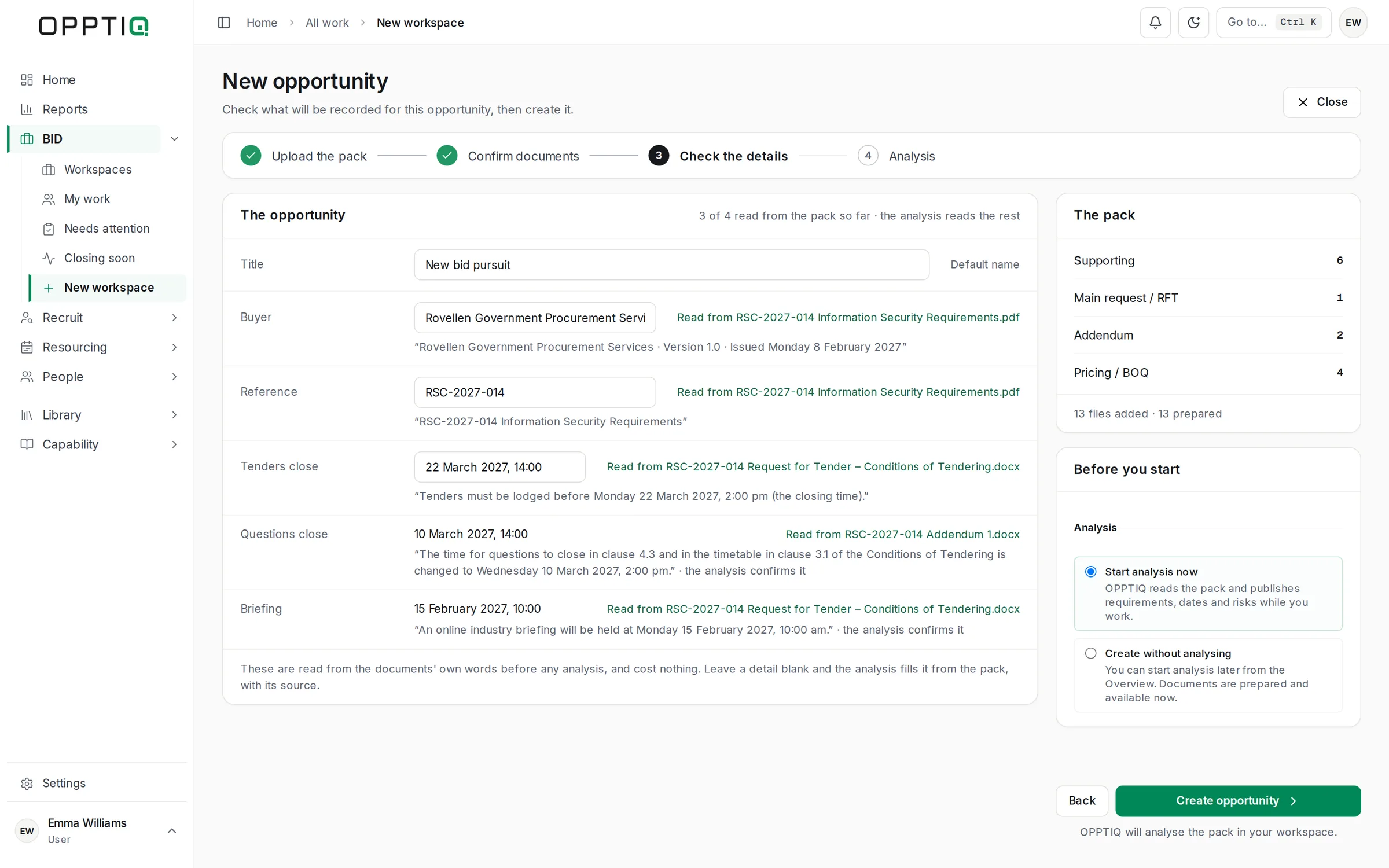
Check the details step with buyer, reference and dates read from the documents, each with its source
Check the detailsBuyer, reference and closing date read from the documents, each with its source.
Check the details step with buyer, reference and dates read from the documents, each with its source
Buyer, reference and closing date read from the documents, each with its source.

The whole pack, read as one set

Conditions, specifications, evaluation methods, schedules, pricing workbooks, forms, emails and addenda, in Word, PDF and Excel. OPPTIQ shows its progress while it works.

  • Every document and version is kept, with what each addendum changed.
  • A source check lets people confirm, correct or reject each analysed item.
  • A correction shows what depends on it before it flows through.
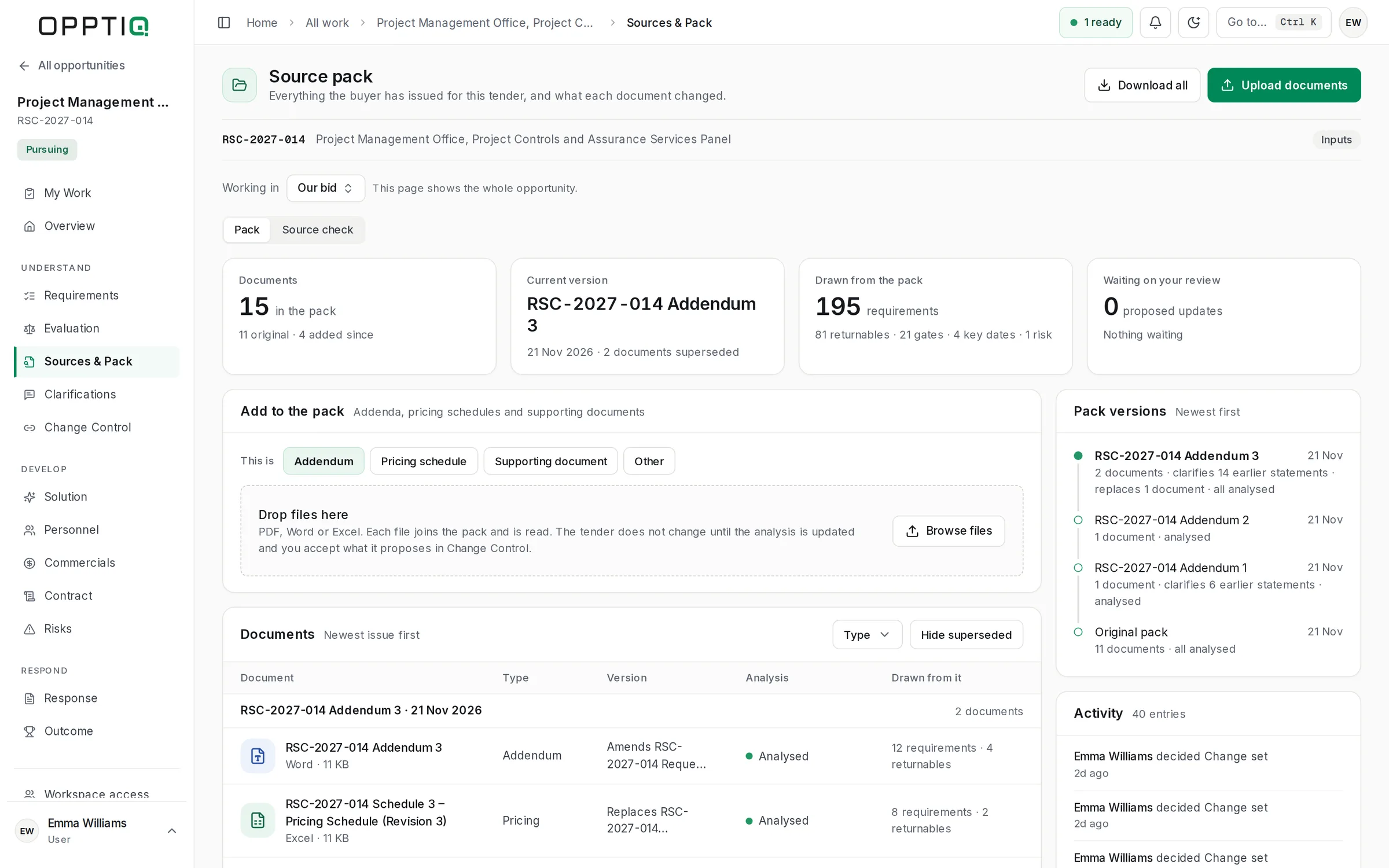
Source pack with document versions and addenda
Sources and packEvery document, every version, and what each addendum changed.
Source pack with document versions and addenda
Every document, every version, and what each addendum changed.

Requirements and the compliance matrix

One governed list in list, matrix and board views, with obligation levels, mandatory flags, pass-or-fail gates, owners and compliance positions.

  • See which response sections answer each requirement.
  • Spot requirements answered twice, and sections that answer nothing.
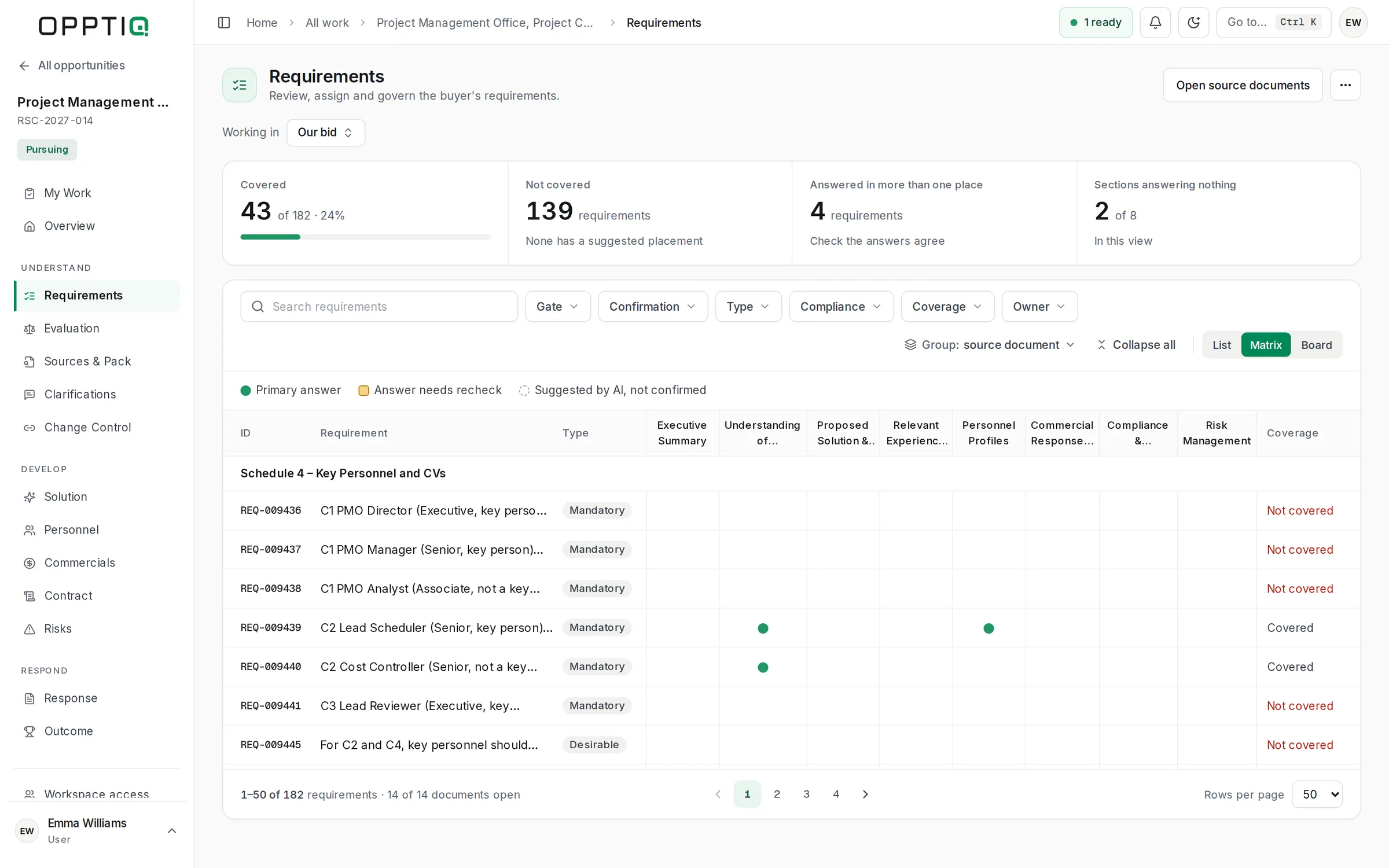
Compliance matrix of requirements against response sections
Compliance matrixSee which response sections answer each requirement.
Compliance matrix of requirements against response sections
See which response sections answer each requirement.

Evaluation and gates

The buyer’s criteria and weights, with citations, by bid category. Missing weights are flagged, never guessed.

  • Assessment views: buyer lens, dry run, evidence map, strategy and scenarios.
  • Each pass-or-fail gate is proved with organisational evidence that two people approve.
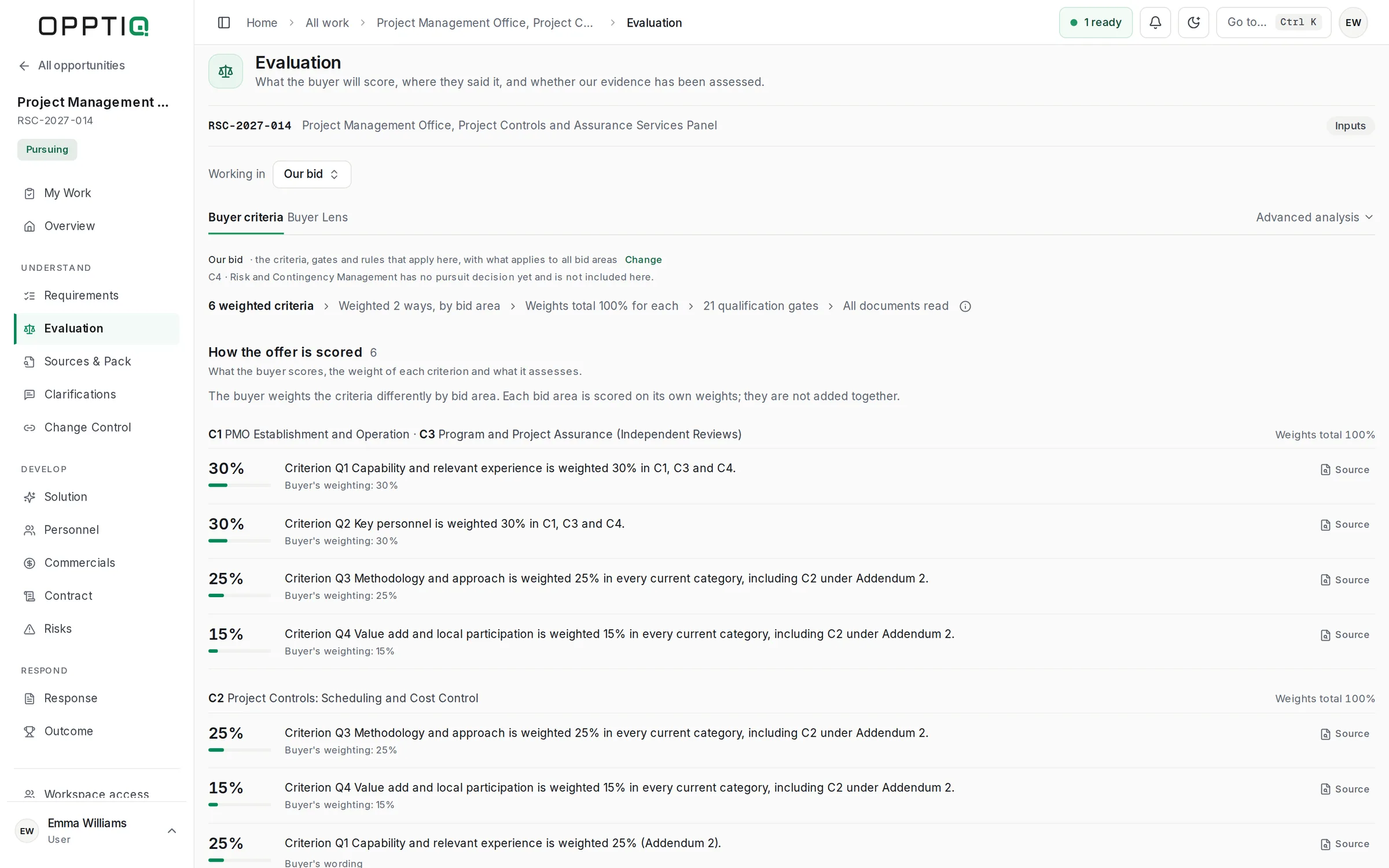
Evaluation criteria with weights per bid category
EvaluationHow the buyer will score you, criterion by criterion.
Evaluation criteria with weights per bid category
How the buyer will score you, criterion by criterion.

Exact citations

Continuous reading with an outline. Any citation opens the exact passage, highlighted, and “Ask about this document” answers from the file itself.
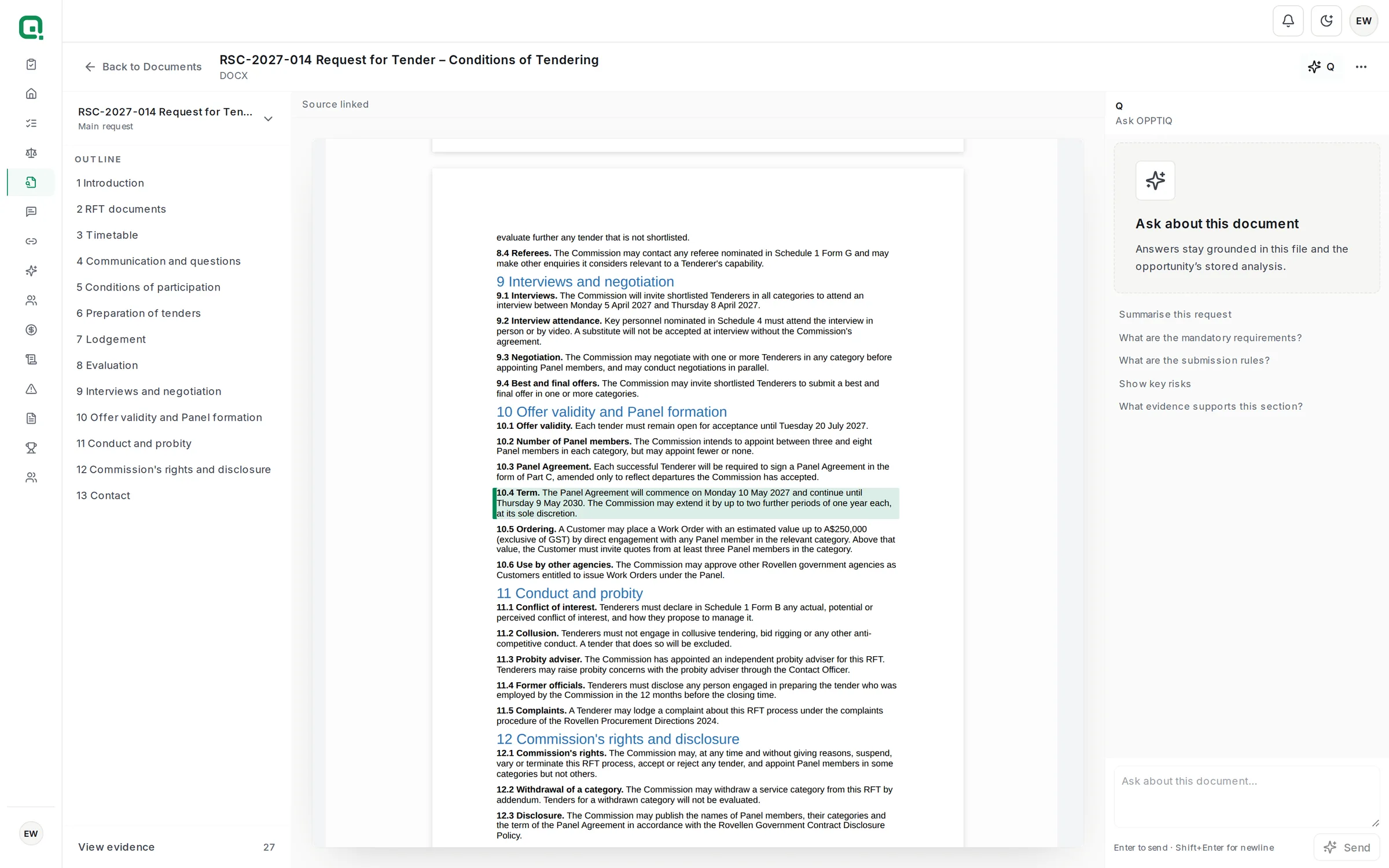
Document reader opened at clause 10.4 of the Conditions of Tendering, with the cited passage highlighted beside the Ask OPPTIQ panel
Document readerClick any citation and land on the exact passage.
Document reader opened at clause 10.4 of the Conditions of Tendering, with the cited passage highlighted beside the Ask OPPTIQ panel
Click any citation and land on the exact passage.

Clarifications

Questions to the buyer, drafted with AI help and linked to the requirements they affect, with deadlines, answers, history and impact.
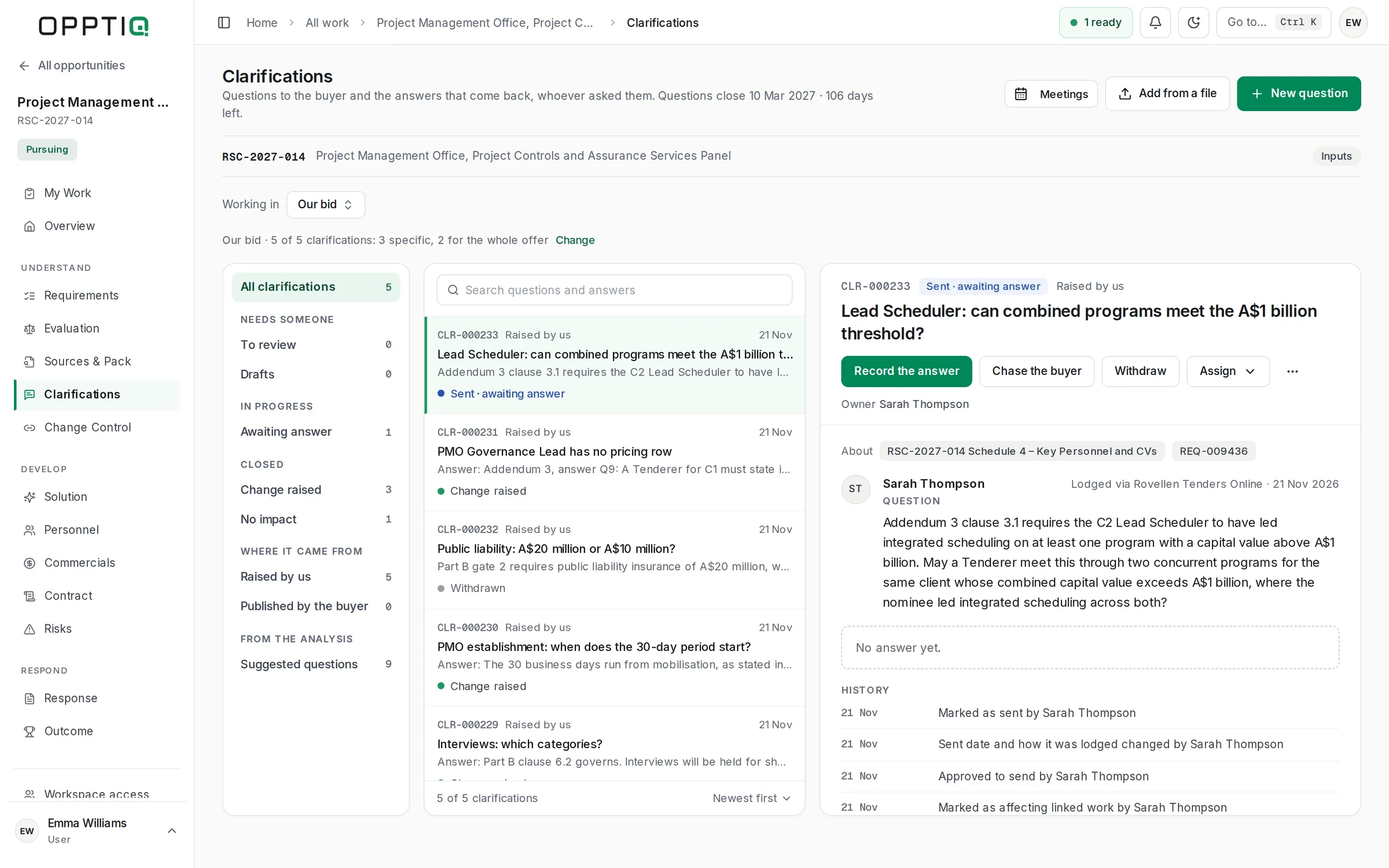
Clarification register with a question and its history
ClarificationsQuestions to the buyer, linked to the requirements they affect.
Clarification register with a question and its history
Questions to the buyer, linked to the requirements they affect.

Change control

Each change with its source, what it touches and a side-by-side comparison. Nothing changes the bid until a person accepts it, and accepting a change flags only the linked work for reassessment.
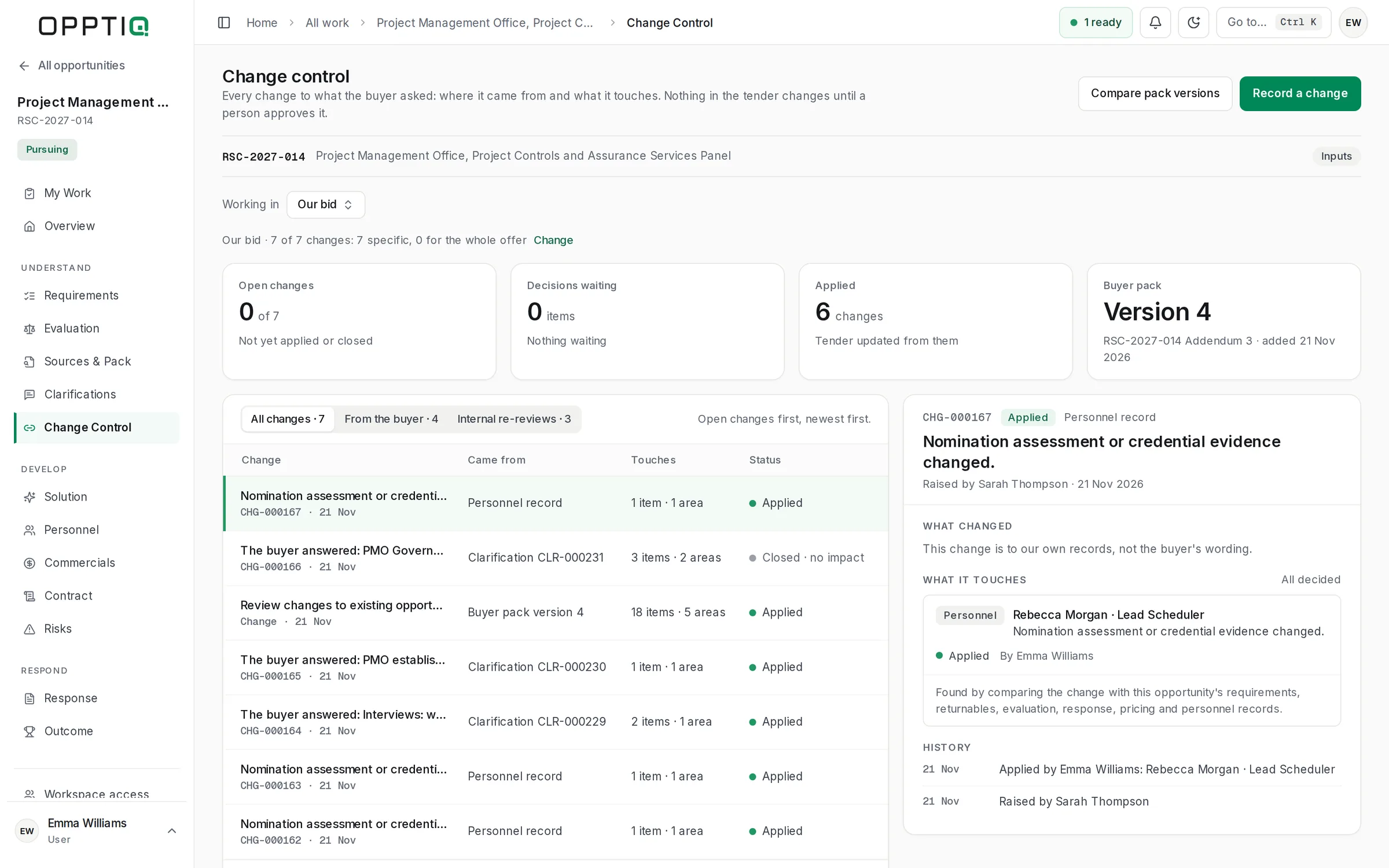
Change control list with change details panel
Change controlEach change, where it came from and what it touches.
Change control list with change details panel
Each change, where it came from and what it touches.

See it on one of your own opportunities.

Walk one of your opportunities with us, from the first documents to a signed-off submission.