
Platform tour
Walk one opportunity, from the first documents to submission.
Seven steps, each shown on the live product with a fictional bid: Northstar Project Advisory responding to RSC-2027-014.
Step 1 · Understand
The whole pack, read and cited.
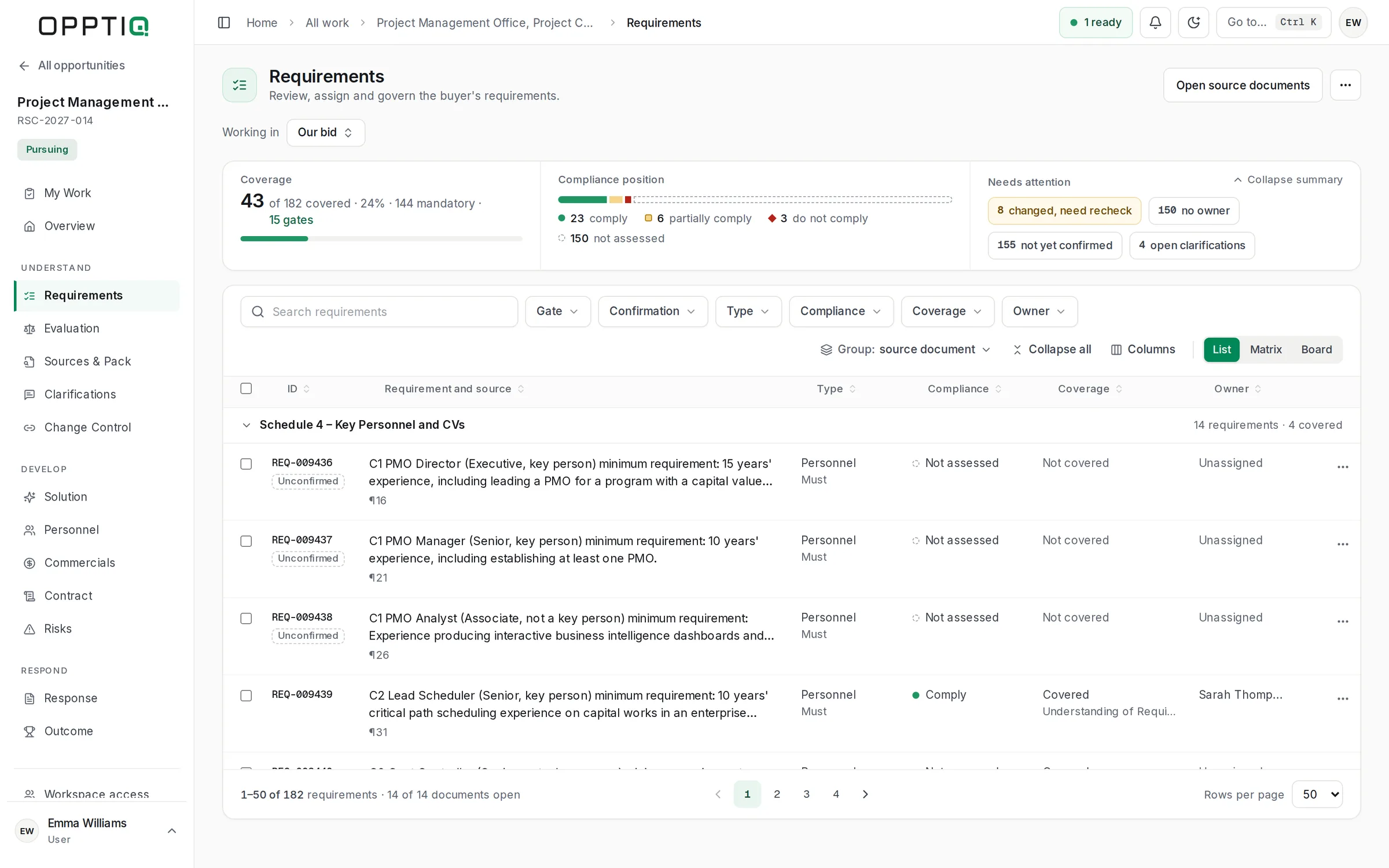
Emma uploads the pack in Word, PDF, Excel and email files. OPPTIQ reads it as one set.
195 requirements from 14 documents, 157 of them mandatory, grouped by source document.
Any citation opens the reader at the exact passage, highlighted.
Step 2 · Decide
Bid or no bid, and which parts.
Emma records the bid decision on the decision register, with an owner.
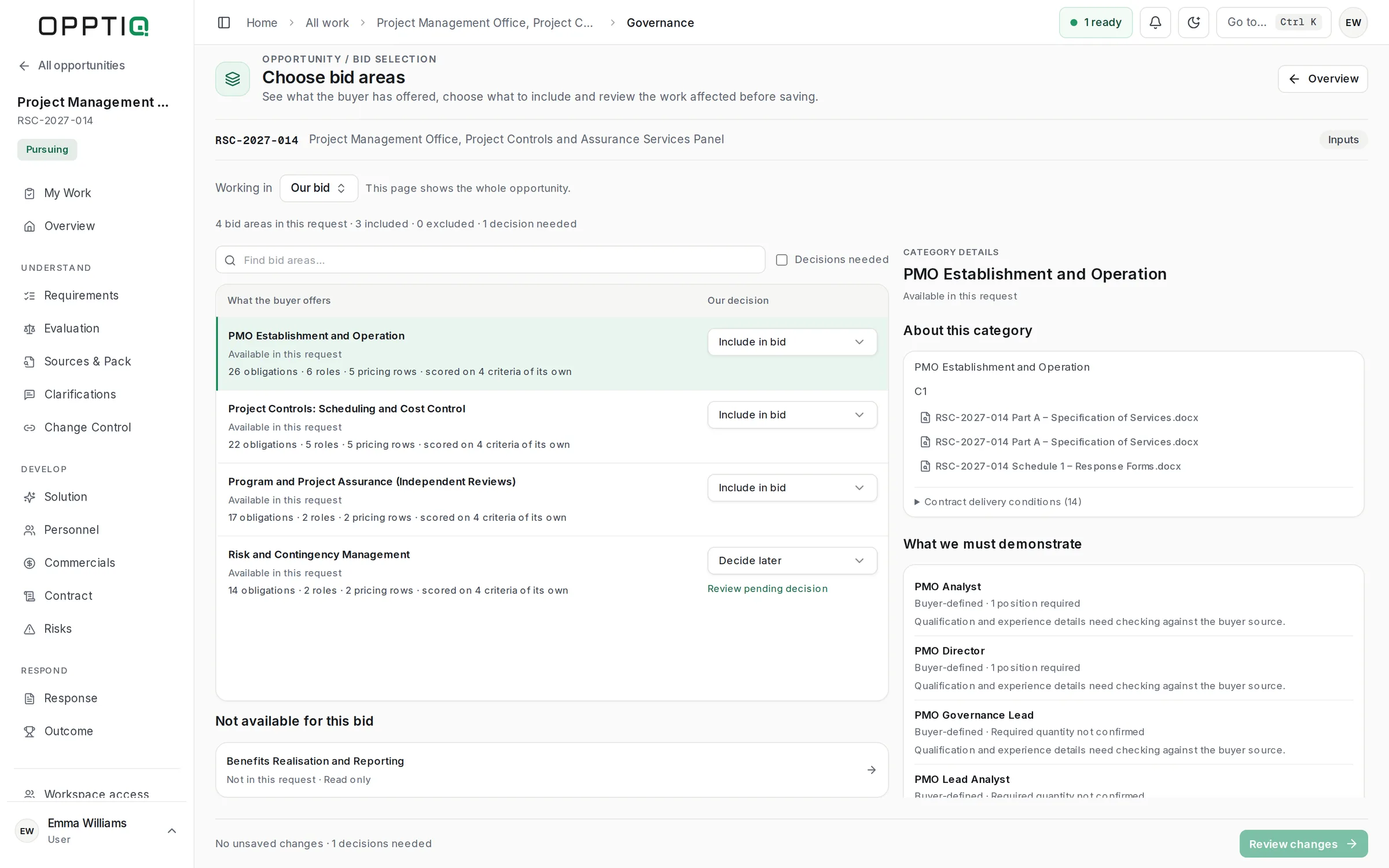
She chooses which parts of the panel to bid for: three categories in, one left for later.
Each bid area gets its own decision, so a multi-lot tender stays clear.
Step 3 · Plan
Owners for everything, work for everyone.
Win themes, competitors and the pink, red and gold review milestones go into the bid plan.
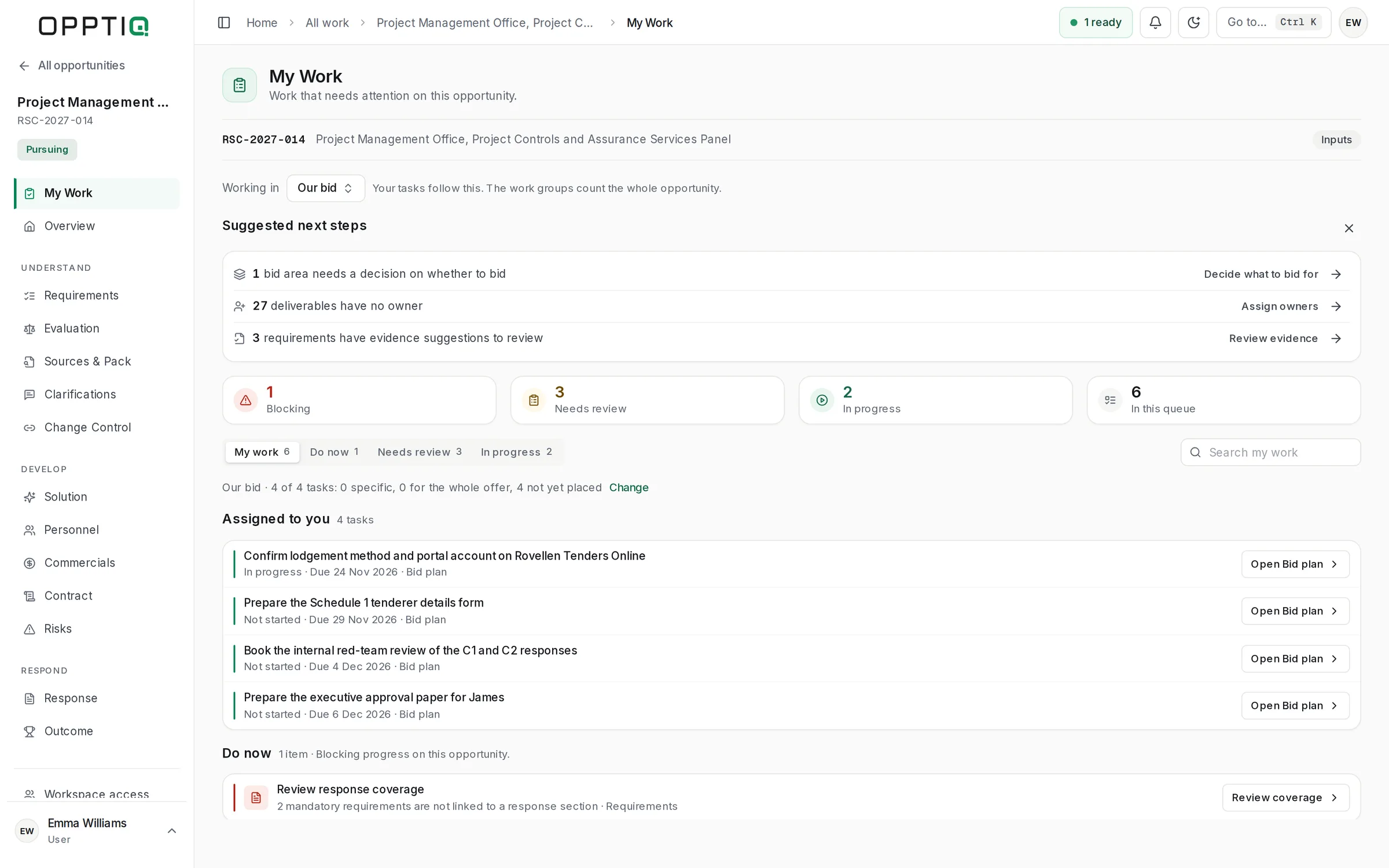
Requirements, sections and returnables get owners. Each person’s work arrives in My Work.
Ctrl K finds any requirement, risk or section by typing.
Step 4 · Staff
The right people, proved against the criteria.
Hannah sees 13 key roles, the workforce behind them and two delivery partners.
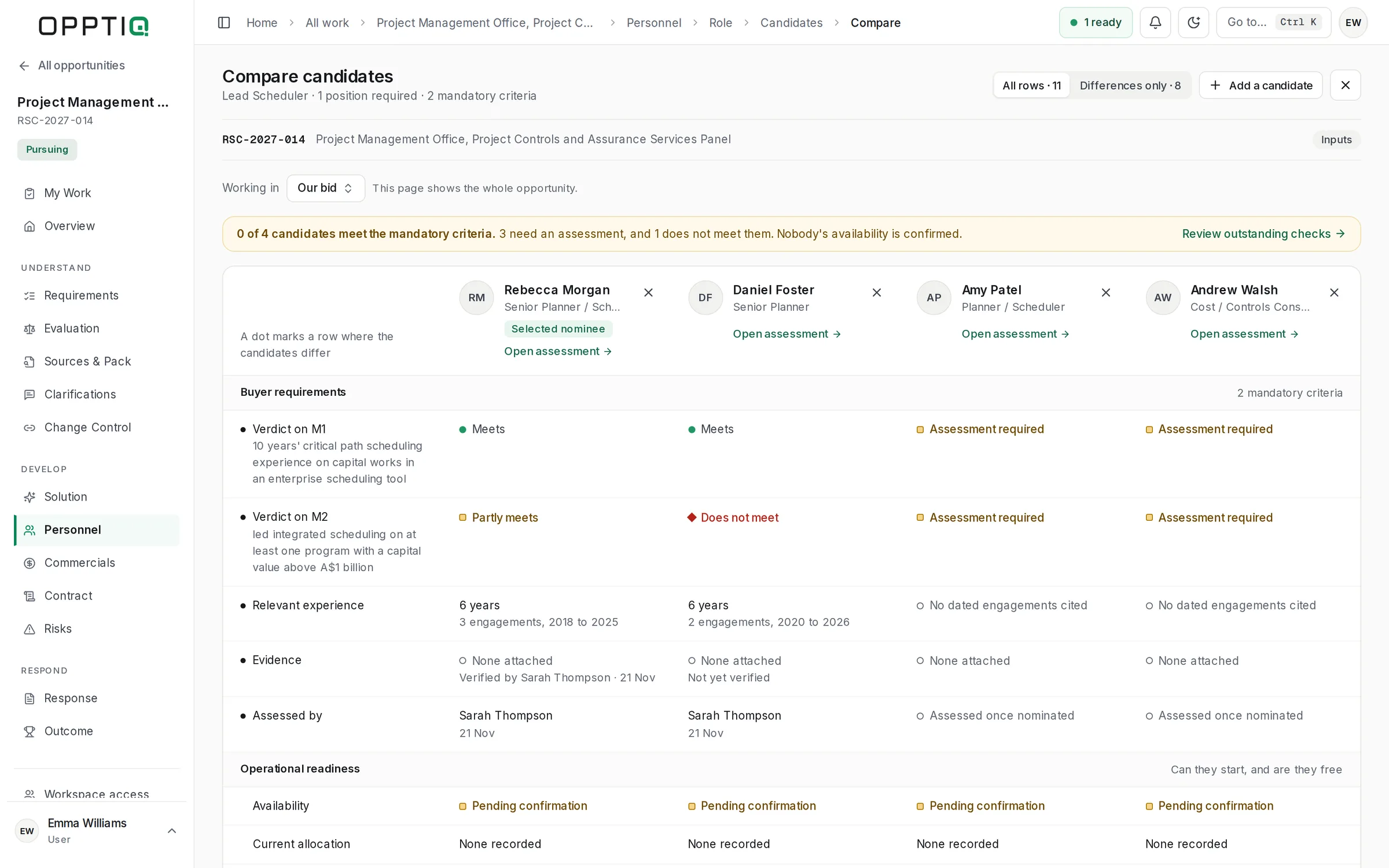
She compares four Lead Scheduler candidates on every buyer criterion, then assesses Rebecca Morgan.
Rebecca’s tailored profile goes for approval in the Corporate Bid Profile template.
Step 5 · Build
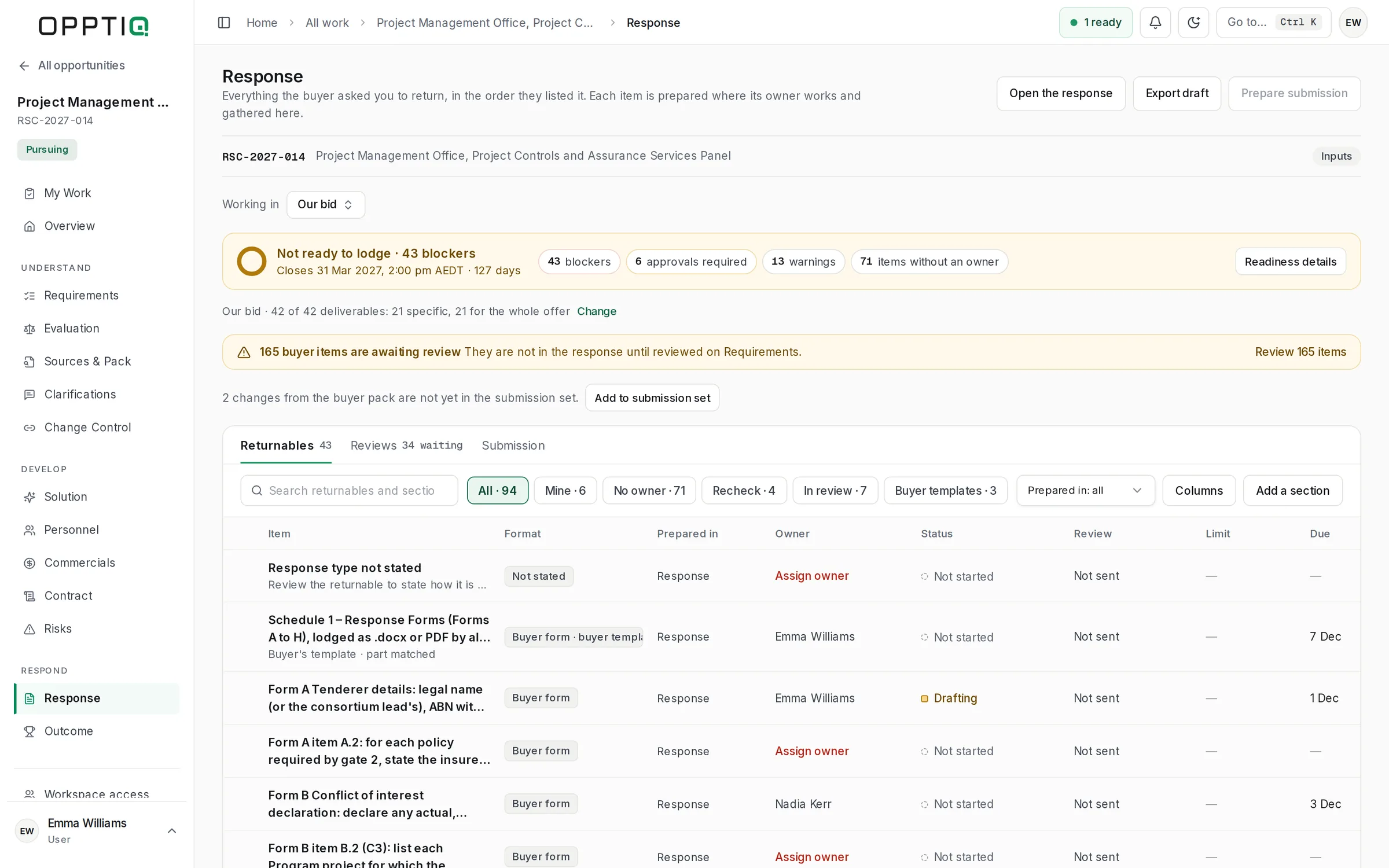
Everything the buyer asked for, in their order.
Every returnable with its format, owner, status, review and due date.
Buyer forms are filled in the buyer’s own Word and Excel templates.
Contract positions and commercial decisions are settled and signed off alongside.
The addendum loop · rejoins at Build
Addendum 3 arrives. Only what it touches is reopened.
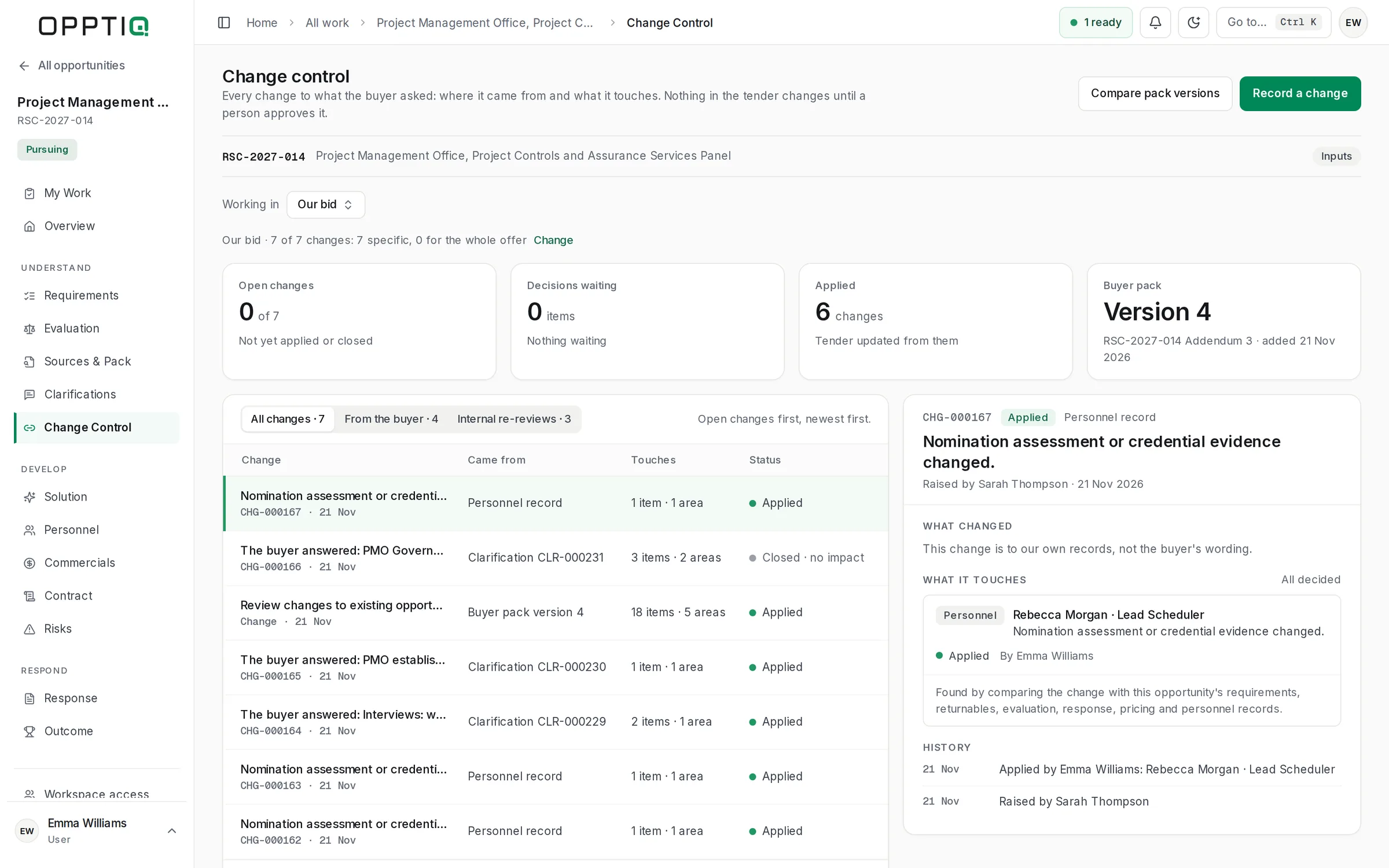
Change Control shows the closing date moving from 22 to 31 March 2027, with its source.
Emma applies it. 16 response items are flagged for recheck across three bid areas.
Work the addendum doesn’t touch stays accepted.
Step 6 · Review
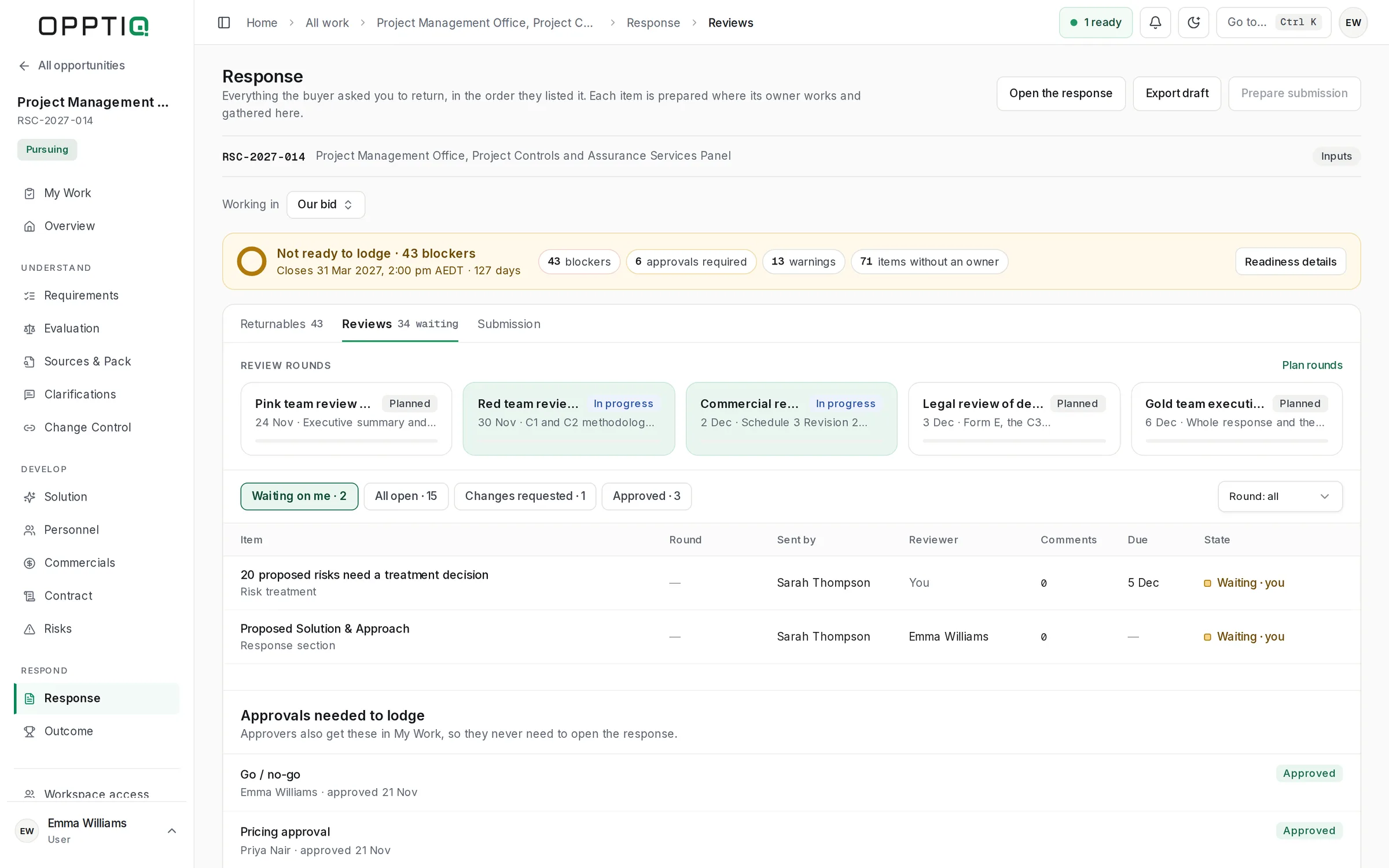
Reviews on schedule, approvals on the record.
Pink, red, commercial, legal and gold rounds run to plan.
Comments and approvals are tracked, and nobody approves their own work.
Approvers see what is waiting on them in My Work.
Step 7 · Submit
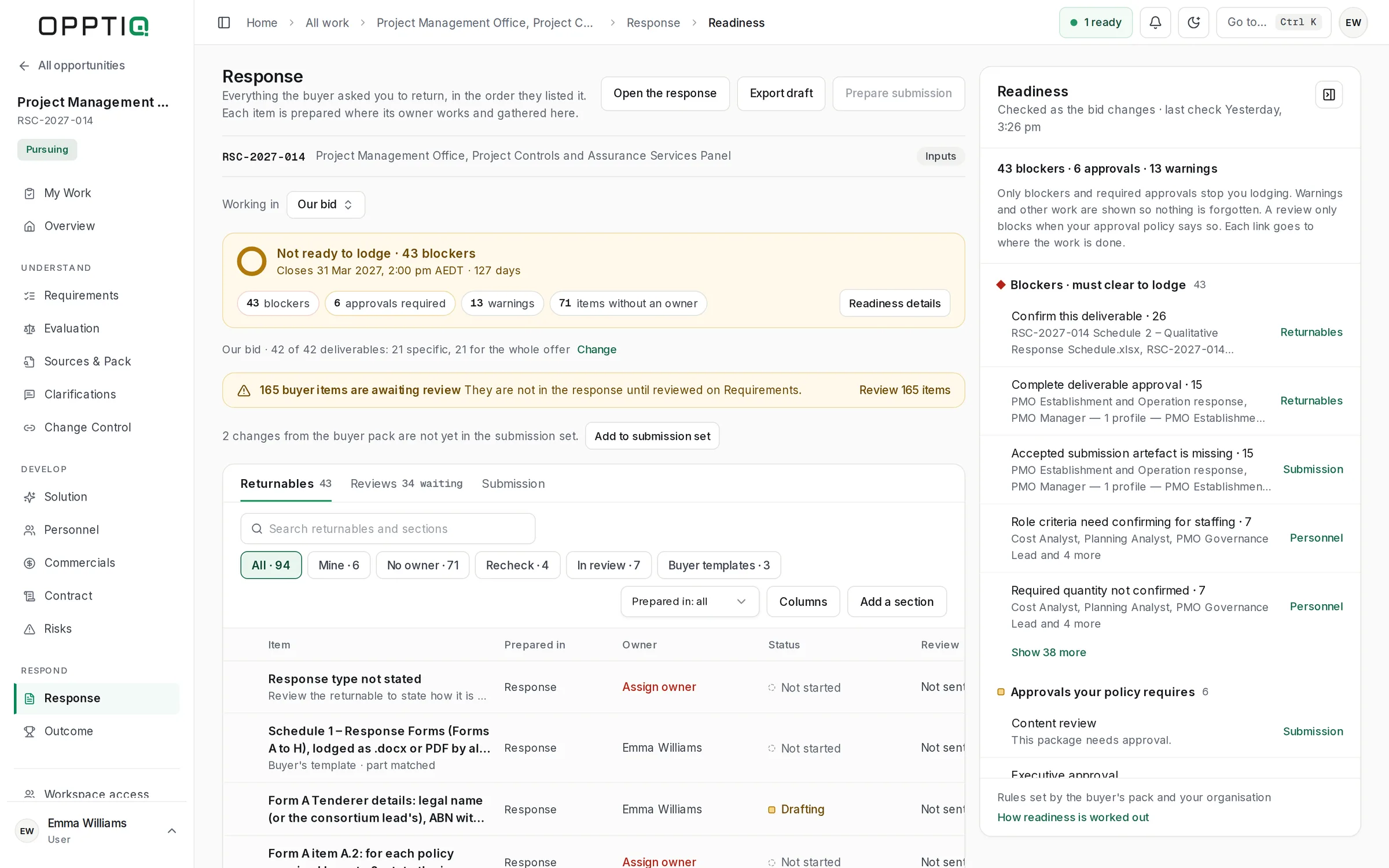
Submit when readiness shows no blocker.
Readiness names every blocker and warning in plain words, with a link to fix each.
James approves go/no-go, pricing and the final package as submission authority.
OPPTIQ prepares a complete, signed-off submission package, with two-person sign-off.
See it on one of your own opportunities.
Bring a live or past opportunity, a tender, an RFP or a recruitment campaign, and we’ll walk it through every step with your team.